
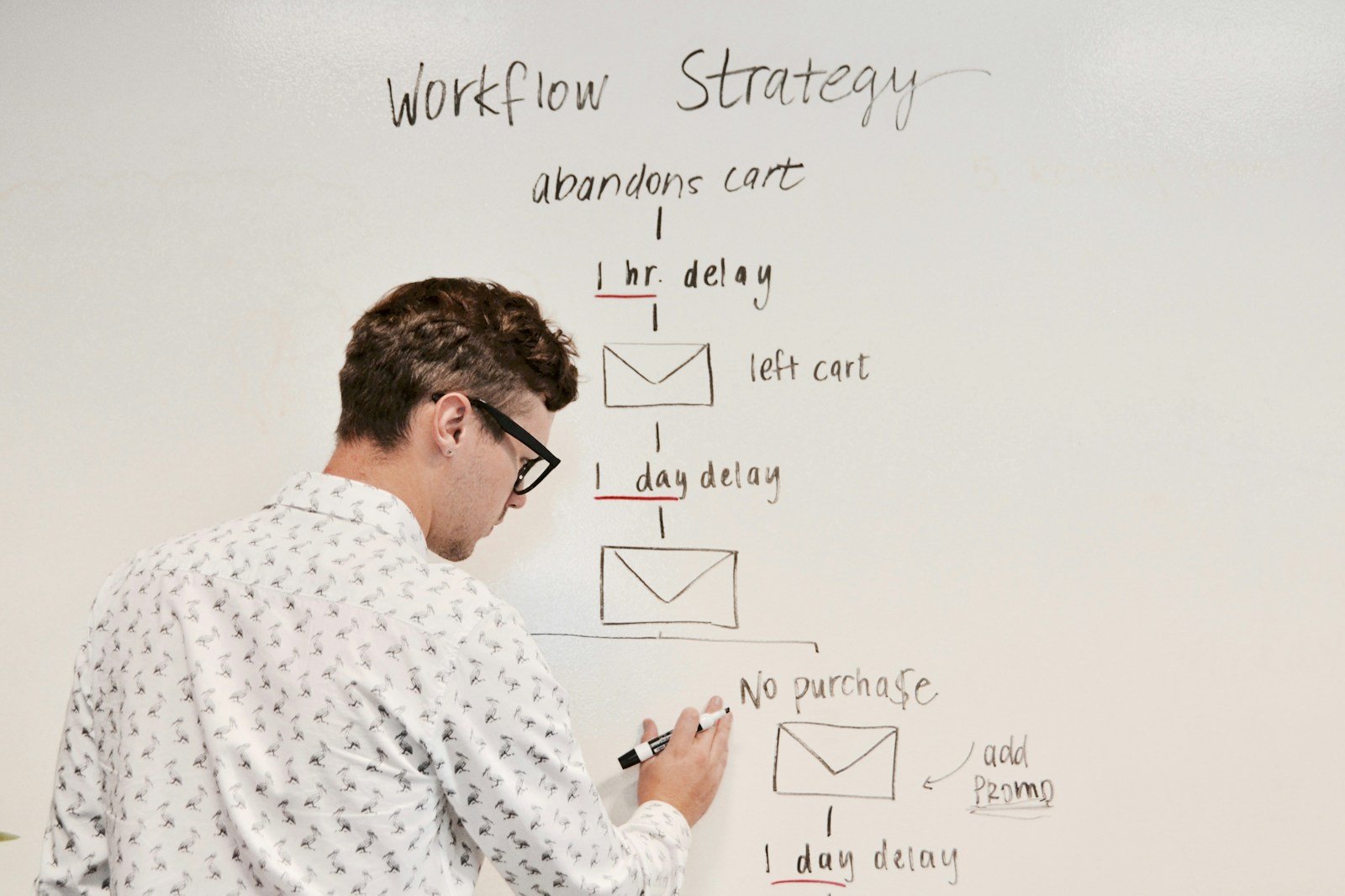
Understanding and Implementing Custom Article Workflow

Content creation is key for business success in the digital world. Managing this process well is vital for quality, timeliness, and consistency across content platforms. That’s why a custom article workflow is extremely useful. A custom article workflow is a tailored approach that meets the needs and requirements of a content team. It has a structured process for creating, editing, and publishing articles, making the workflow smooth and effective. Having such a workflow has many benefits, such as improved consistency, enhanced productivity, and better content management. By using specific tools and software, businesses can automate and simplify various stages of the workflow and make their content creation process better. In this article, we look at why custom article workflow implementation matters, how to create a good workflow, and real-world examples of its successful use. If you want to boost your team’s efficiency or improve your content quality, learning and applying a custom article workflow is important for reaching your goals. 

The Benefits of Custom Article Workflow Implementation

Custom article workflow implementation provides considerable benefits for both content creators and businesses. A main advantage is the ability to ensure consistency and quality in the content produced. With a predetermined workflow, content creators can follow set guidelines, ensuring that each article meets the expected standards and matches the brand’s voice. This methodical approach helps create a coherent tone across all published materials, building confidence and credibility with the audience. 

Additionally, custom article workflow implementation improves work efficiency. By creating a clear structure and assigning roles within the workflow, team members can work together effectively, reducing confusion and increasing productivity. This orderly approach leads to quicker delivery times and higher output, as each team member knows their specific tasks and deadlines. 

How to Make a Custom Article Workflow

A custom article workflow requires some key steps. First, find out the content team’s needs and requirements, such as their skills, challenges, and preferred ways of working. Then, design the workflow by outlining the steps of article creation, assigning roles and tasks, and setting up communication methods within the team. 

Next, put the workflow into practice. This may require training team members, using relevant tools and software, and following guidelines for collaboration and feedback. Lastly, test and improve the workflow to make sure it works well. Regular review and adjustment can help fix issues and improve the content creation process. 

To make custom article workflow implementation easier and faster, businesses can use various tools and software. They can use project management tools like Trovve, Trello, Asana, or Monday.com to organize tasks, deadlines, and teamwork. They can use content creation and editing tools like Google Docs, Microsoft Word, or Grammarly to write and edit better content. They can use workflow automation tools like Zapier or IFTTT to automate tasks like sending alerts or publishing articles, saving time and work. They can use feedback and revision tools like Slack, Google Drive, or Adobe Acrobat to collaborate and share feedback smoothly and quickly. These tools can help businesses improve their content creation workflows, making them more efficient and productive. 

The Importance of an Effective Article Workflow

A custom article workflow is important, as it helps an organization create content that works well and meets its goals. Here are the main reasons why a custom article workflow is essential:

Consistency and Quality: A customized workflow helps content creators adhere to a set of guidelines, ensuring uniformity in tone, style, and brand voice across all articles. This consistency builds audience trust and maintains high content quality.

Efficiency and Productivity: By establishing a clear workflow, content creators can work more efficiently, reducing guesswork and minimizing time spent on repetitive tasks. This leads to improved productivity, faster turnaround times, and increased output.

Streamlined Processes: A custom article workflow ensures a systematic approach to content creation, with well-defined stages and organized processes. This streamlining eliminates bottlenecks, reduces errors, and fosters smooth collaboration among team members.

Enhanced Content Planning: Implementing a custom article workflow provides a structured framework for content planning. It allows for better resource allocation, effective scheduling, and strategic content distribution, ensuring that content aligns with business goals and audience needs.

Improved Accountability: With clearly defined roles and responsibilities, a custom article workflow fosters accountability among team members. This clarity enables better tracking of progress, identification of areas for improvement, and adherence to deadlines.

Steps to Create a Custom Article Workflow

To create a custom article workflow, you need to follow a systematic process that suits your content team’s specific needs and aims. Here are the main steps: 

  1. Understanding Your Content Team’s Needs 

The first step is to understand what your content team needs and wants. This involves knowing team members’ abilities, challenges, and preferences, and making sure they match the organization’s goals. 

Key considerations: 

  • Evaluating team members’ talents and knowledge 
  • Knowing preferred work methods and communication styles 
  • Finding potential problems and challenges in the current workflow 
  • Setting expected results and goals for the custom article workflow

    2. Planning Your Workflow
     

The next step after clarifying the needs is planning the workflow. This involves setting the stages of article creation, allocating roles and duties, and creating communication channels within the team. 

Key elements: 

  • Content brainstorming and topic choice 
  • Research and outlining 
  • Writing and editing 
  • Review and approval process 
  • Formatting and design aspects 
  • SEO optimization 
  • Publishing and distribution 

Involving team members in the planning process ensures feasibility, effectiveness, and commitment.

        3. Implementing Your Workflow 

After designing the workflow, it’s time to implement it. This involves training team members, introducing necessary tools or software, and establishing protocols for collaboration and file management. 

Key steps: 

  • Conducting training sessions 
  • Providing resources and guidelines for each stage of the workflow 
  • Implementing project management tools to track progress and deadlines 
  • Setting up communication channels for seamless collaboration and feedback exchange 
  • Ensuring integration with existing systems and processes

    4. Putting Your Workflow into Action 

Once the workflow is designed, you need to put it into action. This means coaching team members, setting up required tools or software, and creating rules for working together and organizing files. 

Key steps: 

  • Running training sessions 
  • Giving resources and guidelines for each stage of the workflow 
  • Using project management tools to monitor progress and deadlines 
  • Creating communication channels for smooth collaboration and feedback exchange 
  • Making sure integration with existing systems and processes5. Assessing and Enhancing Your Workflow 

After implementation, the workflow needs to be assessed and enhanced. This includes tracking, collecting feedback, and making changes to increase efficiency and effectiveness. 

Key actions: 

  • Frequently checking the workflow and finding opportunities for improvement 
  • Collecting feedback from team members and stakeholders 
  • Doing regular assessments of the workflow’s influence on productivity, quality, and collaboration 
  • Making needed changes and continually improving based on feedback and data-driven insights 

These steps help you to update your custom article workflow as your content team and organization grow and change, making the content creation process more efficient. 

Essential Tools for Automating Custom Article Workflow

Using automation for the custom article workflow improves productivity, simplifies procedures, and lowers manual work within a content team. Different tools can automate various workflow steps. Here are some key tools for this goal:

1. Project Management Tools

Project management tools help organize and track tasks, deadlines, and collaboration. Popular options include:  

Trovve: is a smart project management tool that integrates with Microsoft 365 and uses AI to help users create, organize, and track projects. Some of its features include AI-assisted naming and description generation, task and section creation, file and folder integration, project copying and customization, and bulk actions. 

Trello: A visual project management tool that allows creating task cards, assigning team members, setting due dates, and tracking progress using boards and lists. 

Asana: A versatile tool enabling task creation, responsibility assignment, deadline setting, and project progress visualization with boards, lists, and calendars. 

Monday.com: An intuitive platform offering customizable workflows, task tracking, and collaboration features for efficient project management. 

These tools provide a centralized platform for organizing and managing tasks, facilitating seamless collaboration, and ensuring alignment with the workflow.

2. Content Creation and Editing Tools

These tools are essential for ensuring high-quality articles and streamlining the writing process: 

Google Docs: A cloud-based collaboration tool allowing multiple team members to work on the same document simultaneously, offering real-time editing and commenting. 

Microsoft Word: A widely used word processing tool with comprehensive writing, editing, and formatting features. 

Grammarly: An AI-powered writing assistant improving grammar, spelling, and writing style for error-free content. 

These tools enhance the writing and editing process, improving content quality, and streamlining collaboration.

3. Workflow Automation Tools

Designed to automate repetitive tasks, these tools save time and reduce manual effort: 

Zapier: Connects different apps and tools, automating workflows by creating triggers and actions based on specific conditions. 

IFTTT (If This, Then That): A simple automation tool enabling custom workflows by connecting numerous services and setting up conditional actions. 

Integromat: An advanced platform allowing the creation of complex workflows by connecting multiple apps and services, offering various triggers and actions. 

These tools automate tasks such as sending notifications, updating spreadsheets, or triggering actions based on specific events, increasing productivity.

4. Feedback and Revision Tools

These tools facilitate efficient communication and revision processes: 

Slack: A team communication platform for real-time messaging, file sharing, and collaboration, enabling effective communication and feedback exchange. 

Google Drive: A cloud-based storage and collaboration platform for sharing, editing, and commenting on documents. 

Adobe Acrobat: A comprehensive PDF editing tool for annotations, comments, and mark-ups, facilitating feedback and suggestions on articles. 

These tools ensure efficient communication, feedback exchange, and revision processes, helping articles undergo necessary improvements before publication. 

By leveraging these tools, content teams can automate and optimize their custom article workflow, ensuring greater efficiency and productivity in content creation. 

Case Studies: Successful Implementation of Custom Article Workflow

Many organizations have improved their productivity, processes, and teamwork by using a custom article workflow. Here are three examples of successful implementations: 

Case Study 1: Accomplishing Multiple Projects 

  • Company: XYZ Marketing Agency 
  • Challenge: The agency had difficulty juggling various content projects at once, resulting in setbacks, missed due dates, and lower content quality. 
  • Solution: The agency set up a custom article workflow with clear stages, roles, and communication methods. They tracked progress and deadlines using Trovve, which helped them manage tasks effectively. This workflow helped the agency to deal with multiple projects productively, save time, and produce quality content on time. 

Case Study 2: Streamlining Content Management 

  • Company: ABC Tech Blog 
  • Problem: ABC Tech Blog struggled with wasted time, mistakes, and irregular posting patterns due to labor-intensive and slow content management procedures. 
  • Solution: The blog set up a tailored article workflow that integrated workflow automation tools like Zapier. They automated activities such as posting articles to their website and promoting them on social media channels. This automation minimized manual work, ensured punctual publication, and kept a consistent content delivery schedule, enhancing overall content management and boosting audience engagement. 

Case Study 3: Enhancing Collaboration 

  • Organization: PQR Content Agency 
  • Problem: PQR Content Agency faced difficulties in working and communicating with each other, causing confusion, wasted efforts, and slow content delivery. 
  • Result: The agency adopted a tailored article workflow that stressed better communication and collaboration. They utilized Slack for instant chat and Google Drive for easy document sharing and teamwork. This workflow boosted team communication, reduced mistakes, and created a cooperative atmosphere, leading to improved efficiency and content quality. 

These case studies show that a content team can work better, faster, and together by using an article workflow that suits their needs. With the right tools and processes, organizations can make the most of their content creation and get satisfactory results. 

Conclusion 

To sum up, a custom article workflow is crucial for content teams that want to improve productivity, quality, and consistency. By adapting the workflow to their needs, organizations can simplify the content creation process, making sure each article matches the brand’s voice and standards. Tools for project management, content creation, automation, and feedback also enhance the workflow, saving time and improving collaboration. Real-world examples from different companies show the benefits, demonstrating that a well-implemented custom article workflow is worth it for content success and organizational goals. 

FAQS 

  1. What is a custom article workflow?
    A custom article workflow is a tailored process designed to meet the specific needs and requirements of a content team. It involves structured steps for creating, editing, and publishing articles, aimed at enhancing consistency, productivity, and content management.
  2. What are the main benefits of implementing a custom article workflow?
    The main benefits include improved consistency and quality of content, enhanced productivity, streamlined processes, better content planning, and increased accountability among team members. These advantages help in creating high-quality content that aligns with business goals and audience expectations.
  3. How can businesses create an effective custom article workflow?
    Businesses can create an effective custom article workflow by understanding their content team’s needs, planning the workflow stages, assigning roles and tasks, implementing relevant tools and software, and regularly assessing and improving the workflow based on feedback and performance data.
  4. What tools are recommended for automating a custom article workflow?
    Recommended tools include project management tools like Trovve, Trello, Asana, and Monday.com; content creation and editing tools like Google Docs, Microsoft Word, and Grammarly; workflow automation tools like Zapier, IFTTT, and Integromat; and feedback and revision tools like Slack, Google Drive, and Adobe Acrobat.
  5. Can you provide examples of successful custom article workflow implementations?
    Yes, several companies have successfully implemented custom article workflows. For instance, XYZ Marketing Agency improved productivity and content quality by using Trovve for task management. ABC Tech Blog automated their content management with Zapier, reducing manual work and ensuring timely publication. PQR Content Agency enhanced collaboration and efficiency by utilizing Slack and Google Drive for better communication and document sharing.


 

End of the Day Report Format


Keeping track of daily activities and progress is crucial for both individuals and teams in today’s fast-paced and dynamic work environment.  One effective way to achieve this is through the use of end of the day reports. These reports provide a comprehensive summary of the day’s activities, allowing individuals and management to assess progress, identify challenges, and plan for the future.


Understanding the Importance of End of the Day Reports

End of the day reports serve as a valuable tool for individuals to reflect on their accomplishments, challenges, and areas for improvement. They also provide a means for managers and supervisors to stay informed about the progress of their team members and address any issues that may arise. By documenting daily activities, these reports ensure that everyone is on the same page and working towards common goals.


Components of a Comprehensive End of the Day Report

A well-structured end of the day report should include several key components. First, the header information should provide details such as the date, the name of the individual or team submitting the report, and any relevant project or task identifiers. Next, a summary of the day’s activities should be provided, highlighting major milestones or accomplishments. A detailed description of completed tasks should follow, providing specific information about what was achieved and any challenges encountered. Additionally, it is important to include a section on issues and challenges faced during the day, as well as any other relevant information that may be important for understanding the overall progress.


How to Write an Effective End of the Day Report

To ensure the effectiveness of an end of the day report, it is essential to follow a few best practices. Firstly, the report should be concise yet informative, providing enough detail to give a clear picture of the day’s activities without overwhelming the reader. Using bullet points can help to organize information and improve clarity. Including relevant data, such as the number of tasks completed or the time spent on certain activities, can provide additional context and make the report more impactful. Lastly, proofreading and editing the report before submission is crucial to ensure accuracy and professionalism.


Using End of the Day Report Templates

For those looking to streamline the process of creating end of the day reports, using templates can be highly beneficial. Templates provide a pre-designed format that includes all the necessary sections and prompts, making it easier to quickly fill in the required information. They also ensure consistency across reports and save time by eliminating the need to create a report from scratch.


Benefits of Using Templates

Using templates for end of the day reports offers several advantages. Firstly, it helps maintain a consistent format, making it easier for readers to navigate and understand the content. Templates also provide a starting point, ensuring that all important sections are included and reducing the chances of leaving out crucial information. Additionally, they can save time and effort by eliminating the need to create a report layout from scratch.


How to Customize a Template

While templates provide a basic structure, it is important to customize them to fit individual or team needs. This can be done by adding or removing sections, modifying prompts, or adjusting the formatting to align with specific reporting requirements. Customizing templates ensures that the report accurately reflects the unique activities and challenges faced by the individual or team.


Where to Find Templates

There are various resources available to find end of the day report templates. Online platforms, such as project management websites or document sharing platforms, often offer a wide range of templates that can be downloaded and customized. Additionally, office productivity software, such as Microsoft Office or Google Docs, usually have built-in templates that can be easily accessed and adapted to suit specific needs.


Best Practices for Submitting End of the Day Reports

To ensure the effectiveness of end of the day reports, it is important to follow a few best practices. Consistency is key, so it is important to submit reports regularly and in a timely manner. Knowing your audience is crucial, as reports may be read by managers, team members, or other stakeholders who have different needs and expectations. Finally, submitting reports on time is essential for maintaining accountability and ensuring that progress is tracked consistently.


End of the day reports are a valuable tool for tracking progress, reflecting on accomplishments, and addressing challenges. By following a structured format, using templates, and adhering to best practices, individuals and teams can maximize the effectiveness of these reports and drive success in their work.


Understanding the Importance of End of the Day Reports

End of the day reports play a crucial role in the success of individuals and teams in any work setting. Understanding their importance is key to recognizing their value and incorporating them into daily workflows effectively. In this section, we will explore the significance of end of the day reports and the benefits they bring to individuals and organizations.

      1. Track Progress: End of the day reports allow individuals to track their daily progress. By summarizing completed tasks, milestones achieved, and challenges encountered, these reports provide a tangible record of accomplishments. This tracking helps individuals gauge their productivity, identify areas for improvement, and assess their overall performance.
      2. Evaluate Performance: End of the day reports provide a means of evaluating individual and team performance. By reviewing the activities and outcomes recorded in the reports, managers and supervisors can assess whether goals were met, identify areas of excellence, and address any shortcomings. This evaluation process fosters accountability and ensures that everyone is striving towards meeting objectives effectively.
      3. Identify Challenges and Roadblocks: End of the day reports serve as a platform to document and address challenges and roadblocks encountered throughout the day. By highlighting these difficulties, individuals and teams can seek support, collaborate on finding solutions, and overcome obstacles more efficiently. This proactive approach leads to increased productivity and smoother workflows.
      4. Enhance Communication: End of the day reports facilitate effective communication within teams and across departments. By providing a structured format for sharing information, individuals can keep their colleagues and supervisors informed about their progress, completed tasks, and any outstanding issues. This promotes transparency, collaboration, and a shared understanding of collective goals.
      5. Facilitate Decision Making: End of the day reports provide valuable insights that support informed decision-making. Managers and supervisors can review these reports to identify patterns, trends, and areas of improvement. This data-driven decision-making process allows for adjustments to be made, resources to be allocated effectively, and strategies to be refined for optimal performance.
      6. Document Lessons Learned: End of the day reports serve as a repository for lessons learned. By reflecting on the day’s activities, individuals can identify what worked well, what didn’t, and the reasons behind both. This valuable information can be utilized to avoid repeating mistakes, replicate successful strategies, and continuously improve performance over time.
      7. Support Planning for the Future: End of the day reports assist in planning for future tasks and projects. By reviewing the accomplishments, challenges, and lessons learned, individuals and teams can better anticipate potential obstacles, allocate resources efficiently, and set realistic goals. This proactive approach to planning ensures smoother workflows, increased productivity, and improved outcomes.


Understanding the importance of end of the day reports is vital for individuals and teams seeking to maximize productivity, enhance communication, and achieve their goals. These reports not only track progress and evaluate performance but also serve as a valuable tool for problem-solving, decision-making, and continuous improvement. By recognizing their significance, organizations can incorporate end of the day reports into their daily routines, leading to increased efficiency, collaboration, and overall success.


Components of a Comprehensive End of the Day Report

When creating an end of the day report, it is important to include various components that provide a comprehensive overview of the day’s activities. These components ensure that the report captures all relevant information and allows for effective communication and analysis. In this section, we will explore the key components that should be included in a comprehensive end of the day report.

      1. Header Information: The header section of the report should include essential details such as the date, the name of the individual or team submitting the report, and any relevant project or task identifiers. This information helps to provide context and ensure proper documentation.
      2. Summary of the Day’s Activities: A concise summary of the day’s activities should be included to provide an overview of what was accomplished. This summary should highlight major milestones, completed tasks, and any notable achievements. It gives the reader a quick understanding of the progress made during the day.
      3. Detailed Description of Completed Tasks: This section should provide a detailed description of the tasks that were completed during the day. It should include specific information about the tasks, such as the objectives, actions taken, and outcomes achieved. Describing the tasks in detail helps to provide clarity and allows for a comprehensive understanding of the work completed.
      4. Issues and Challenges Encountered: It is important to include a section that outlines any issues or challenges faced during the day. This can include obstacles encountered, unexpected delays, or any other difficulties that impacted progress or productivity. Describing these challenges helps to highlight areas that may require additional attention or support.
      5. Other Relevant Information: This section serves as a space to include any additional information that is relevant to the day’s activities. It can include updates on ongoing projects, communication with stakeholders, or any other relevant details that provide a complete picture of the work done. Including this information ensures that all relevant aspects are captured in the report.


By including these components in an end of the day report, individuals and teams can provide a comprehensive overview of their daily activities. This ensures that important information is documented, progress is tracked effectively, and communication is clear and transparent. Additionally, these components allow for a deeper analysis of the day’s work, helping to identify areas for improvement and make informed decisions moving forward.


How to Write an Effective End of the Day Report

Writing an effective end of the day report requires careful attention to detail and a structured approach. By following best practices, individuals can create reports that are concise, informative, and impactful. In this section, we will explore the key steps and considerations for writing an effective end of the day report.

      1. Keep it Concise Yet Informative: When writing an end of the day report, it is important to strike a balance between providing enough information and keeping the report concise. Avoid unnecessary details and focus on the key accomplishments, challenges, and relevant information. Use clear and concise language to convey the necessary information effectively.
      2. Use Bullet Points for Clarity: To enhance readability and clarity, consider using bullet points when presenting information in your report. Bullet points help to break down complex information into digestible chunks, making it easier for the reader to quickly understand the content. Use bullet points to list completed tasks, highlight key achievements, and summarize challenges or issues encountered.
      3. Include Relevant Data: To provide a comprehensive picture of your day’s activities, include relevant data in your report. This can include metrics such as the number of tasks completed, the time spent on specific activities, or any other quantifiable data that adds value to the report. By incorporating data, you provide concrete evidence of your progress and accomplishments.
      4. Proofread and Edit: Before submitting your end of the day report, always take the time to proofread and edit it for clarity, grammar, and spelling errors. A well-written and error-free report demonstrates professionalism and attention to detail. Review the report for any inconsistencies or areas that need clarification, and make necessary revisions to ensure a polished final product.


By following these guidelines, individuals can write end of the day reports that effectively communicate their progress, accomplishments, and challenges. A well-written report not only provides valuable information but also demonstrates professionalism and attention to detail. Taking the time to craft an effective end of the day report can contribute to improved communication, better decision-making, and overall success in the workplace.


Using End of the Day Report Templates

Using end of the day report templates can greatly simplify the process of creating comprehensive reports. These pre-designed formats provide a structured framework that ensures all necessary information is included. In this section, we will explore the benefits of using templates, how to customize them, and where to find them.

      1. Benefits of Using Templates: There are several benefits to using end of the day report templates. Firstly, templates provide consistency in reporting across individuals or teams. This consistency makes it easier for readers to navigate and understand the content of the reports. Additionally, templates save time and effort by eliminating the need to create a report layout from scratch. They also ensure that all important sections are included, reducing the chances of leaving out crucial information. Templates can also serve as a guide, especially for individuals who may be new to writing end of the day reports.
      2. How to Customize a Template: While templates provide a basic structure, it is important to customize them to fit individual or team needs. This customization can be done by adding or removing sections, modifying prompts, or adjusting the formatting to align with specific reporting requirements. By tailoring the template to your specific needs, you can ensure that the report accurately reflects the activities and challenges faced during the day.
      3. Where to Find Templates: There are various resources available to find end of the day report templates. Online platforms such as project management websites, document sharing platforms, or professional blogs often offer a wide range of templates that can be downloaded and customized. Additionally, office productivity software such as Microsoft Office or Google Docs usually have built-in templates that can be easily accessed and adapted to suit specific needs. It is also worth considering consulting with colleagues or industry peers who may have templates they are willing to share.


By utilizing end of the day report templates, individuals and teams can streamline the reporting process and ensure consistency in their documentation. Templates save time, provide a clear structure, and serve as a starting point for creating comprehensive reports. Customizing these templates allows for tailoring to specific needs, ensuring that the report accurately reflects the day’s activities. With the abundance of resources available online and through office productivity software, finding and customizing templates has never been easier.


Best Practices for Submitting End of the Day Reports

Submitting end of the day reports in a consistent and timely manner is essential for effective communication and accountability. By following best practices, individuals can ensure that their reports are submitted in a professional and efficient manner. In this section, we will explore key best practices for submitting end of the day reports.

      1. Consistency is Key: Establish a regular reporting schedule and stick to it. Consistency in submitting end of the day reports helps to establish a routine and ensures that progress is tracked consistently. Whether it’s at the end of each workday or at a specific time determined by your organization, make it a habit to submit your reports consistently.
      2. Know Your Audience: Understand who will be reading your end of the day reports and tailor the content accordingly. Reports may be reviewed by managers, team members, or other stakeholders, each with their own expectations and requirements. Consider the level of detail, language, and formatting that best suits your audience to ensure effective communication and understanding.
      3. Submit on Time: Timeliness is crucial when submitting end of the day reports. Aim to submit your report within the agreed-upon timeframe or by the established deadline. This demonstrates professionalism, reliability, and respect for the reporting process. Late submissions can disrupt workflows and hinder decision-making processes.
      4. Accuracy and Clarity: Ensure that your end of the day report is accurate and clear. Double-check the information, grammar, and spelling to avoid any errors or misunderstandings. Use clear and concise language to communicate your progress, challenges, and other relevant information effectively. A well-written and error-free report enhances credibility and promotes effective communication.
      5. Seek Feedback and Learn: Use the submission of end of the day reports as an opportunity to seek feedback and learn from the process. Engage with your manager or team members to discuss the content of your reports, clarify any questions or concerns, and identify areas for improvement. Actively seeking feedback promotes growth, collaboration, and continuous improvement.


By following these best practices, individuals can ensure that their end of the day reports are submitted consistently, effectively communicate progress, and contribute to overall organizational success. Consistency, understanding the audience, timely submissions, accuracy, and seeking feedback are key elements for successful reporting. By incorporating these practices, individuals can maximize the impact of their reports and foster a culture of transparency and accountability within their teams and organizations.


Teamwork Performance Review: A Comprehensive Guide


Teamwork is the backbone of any successful organization. When a team works together effectively, it can achieve remarkable results and exceed expectations. However, evaluating and improving team performance can be a complex task. That’s where teamwork performance reviews come in.


In this comprehensive guide, we will explore the importance of conducting teamwork performance reviews and provide you with a step-by-step approach to prepare for, conduct, and follow-up on these reviews. Whether you are a team leader, a manager, or an HR professional, this guide will equip you with the knowledge and tools to maximize the potential of your team.


The first section of the guide will delve into the importance of teamwork performance reviews. We will discuss how these reviews can help identify areas of improvement, recognize and reinforce positive aspects of team dynamics, and ultimately enhance overall team performance.


Next, we will guide you through the crucial steps of preparation. We will explain why preparation is essential and provide you with strategies to gather relevant team performance data. You will also learn how to identify key performance indicators that align with your team’s goals and objectives.


Once you are well-prepared, we will move on to the actual review process. You will discover how to create a conducive environment for the review, ensuring open and honest communication. We will also provide insights into effective ways to discuss performance and provide constructive feedback that motivates and inspires your team members to grow.


After the review, the guide will outline important post-review actions and follow-ups. You will learn how to develop an action plan based on the review findings and effectively monitor the progress of your team. Additionally, we will explore the significance of scheduling follow-up reviews to ensure continuous improvement.


Finally, we will highlight common mistakes to avoid during teamwork performance reviews. By understanding these pitfalls, you can steer clear of overlooking the positive aspects, providing vague feedback, or neglecting the necessary follow-ups that can hinder the effectiveness of the review process.


Whether you are conducting a teamwork performance review for the first time or seeking to enhance your existing process, this comprehensive guide will serve as your go-to resource. So, let’s dive in and unlock the full potential of your team through effective and insightful performance reviews.


Understanding the Importance of Teamwork Performance Reviews

Teamwork performance reviews play a crucial role in assessing and improving team dynamics and productivity within an organization. By understanding the importance of these reviews, you can effectively leverage them to enhance overall team performance. In this section, we will explore the key reasons why teamwork performance reviews are essential.


1. Identifying Areas of Improvement

Teamwork performance reviews provide an opportunity to identify areas where the team can improve. By evaluating the team’s performance, collaboration, and communication, you can uncover potential weaknesses or challenges that may be hindering productivity. These reviews allow you to pinpoint specific areas that require attention and develop strategies to address them effectively.


2. Recognizing and Reinforcing Positive Aspects

While it is vital to identify areas for improvement, teamwork performance reviews also allow you to recognize and reinforce the positive aspects of team dynamics. By acknowledging and appreciating the team’s strengths, achievements, and successful collaborations, you can boost morale and motivation. Positive reinforcement encourages team members to continue performing at their best and fosters a supportive and encouraging work environment.


3. Enhancing Team Communication and Collaboration

Effective communication and collaboration are the cornerstones of successful teamwork. Teamwork performance reviews provide an opportunity to evaluate how well team members communicate and collaborate with one another. By assessing these aspects, you can identify any communication gaps, conflicts, or breakdowns that may be impeding teamwork. This knowledge can then be used to implement strategies and initiatives to improve communication channels, enhance collaboration, and build stronger relationships within the team.


4. Aligning Team Goals and Objectives

Teamwork performance reviews allow you to align team goals and objectives with the overall organizational objectives. By reviewing individual and team performances, you can ensure that everyone is working towards the same goals and making progress in the desired direction. This alignment fosters a sense of purpose and clarity, enabling the team to work cohesively towards achieving their targets.


5. Developing Individual and Team Growth

Teamwork performance reviews provide a platform for individual and team growth. By providing constructive feedback, identifying areas for development, and offering opportunities for training and skill enhancement, you can nurture the professional growth of team members. These reviews also allow team members to reflect on their own performance, set personal goals, and take ownership of their professional development.


Teamwork performance reviews are essential for identifying areas of improvement, recognizing and reinforcing positive aspects, enhancing team communication and collaboration, aligning team goals and objectives, and fostering individual and team growth. By understanding the significance of these reviews, you can create a culture of continuous improvement, maximize team potential, and achieve outstanding results.


How to Prepare for a Teamwork Performance Review

Preparing for a teamwork performance review is crucial to ensure that the review process is comprehensive, effective, and focused. In this section, we will delve into the key steps you need to take to adequately prepare for a teamwork performance review.


1. Why Preparation is Crucial

Before diving into the specific steps of preparation, it’s important to understand why preparation is essential. Adequate preparation allows you to gather relevant data, set clear objectives for the review, and ensure that the review process is fair and unbiased. It also helps you create a structured and organized approach to the review, maximizing its effectiveness and value.


2. Gather Relevant Team Performance Data

To conduct a meaningful teamwork performance review, you need to gather relevant data about the team’s performance. This data can come from various sources, such as project reports, performance metrics, feedback from stakeholders, and individual self-assessments. By collecting comprehensive and accurate data, you can evaluate the team’s strengths, weaknesses, achievements, and areas for improvement objectively.


3. Identifying Key Performance Indicators

Identifying key performance indicators (KPIs) is crucial to evaluate the team’s performance against specific objectives. Determine which KPIs are most relevant to your team’s goals and objectives. These could include metrics such as project completion rates, customer satisfaction scores, team collaboration metrics, and individual performance indicators. By establishing clear KPIs, you create a framework to assess the team’s progress and success during the review.


4. Setting Clear Objectives for the Review

Before conducting the review, it is important to set clear objectives. Define what you want to achieve through the review process. This could include identifying areas for improvement, recognizing successes, providing constructive feedback, or setting goals for future performance. Setting clear objectives ensures that the review is focused and aligned with your desired outcomes.


5. Establishing a Review Structure and Timeline

To ensure a smooth and organized review process, establish a clear structure and timeline. Determine the format of the review, whether it will be conducted individually or as a group, and the duration of each review session. Additionally, establish a timeline for the entire review process, including pre-review preparation, review sessions, and post-review follow-ups. A well-defined structure and timeline help create a sense of clarity and efficiency.


By following these steps and adequately preparing for a teamwork performance review, you set the stage for a comprehensive and productive evaluation process. The preparation phase allows you to gather relevant data, identify key performance indicators, set clear objectives, and establish a review structure and timeline. With proper preparation, you can ensure that the review process is fair, objective, and focused on maximizing the team’s potential for growth and success.


Conducting the Teamwork Performance Review

Conducting the teamwork performance review is a critical step in evaluating the team’s performance, providing feedback, and initiating discussions for improvement. In this section, we will guide you through the essential elements of conducting a successful teamwork performance review.


1. Setting the Right Environment for the Review

Creating a conducive environment is vital to ensure that the review process is comfortable and promotes open and honest communication. Choose a quiet and private location where distractions are minimized. Make sure the team members feel at ease and encourage them to share their thoughts and concerns openly. Establishing a safe and non-judgmental atmosphere sets the tone for a productive review session.


2. How to Communicate Effectively During the Review

Effective communication is key during the review process. As the reviewer, it is crucial to use clear and concise language to articulate your observations, feedback, and expectations. Actively listen to the team members’ perspectives and encourage them to express their thoughts and opinions. Maintain a professional and respectful tone throughout the discussion, fostering a collaborative and constructive environment.


3. Discussing Performance and Providing Feedback

During the review, discuss the team’s performance based on the gathered data and identified key performance indicators. Highlight both the team’s achievements and areas for improvement, providing specific examples and evidence to support your feedback. Offer constructive feedback by focusing on behaviors and actions rather than personal attributes. Encourage team members to share their self-assessment and provide their input on the team’s performance.


4. Addressing Challenges and Concerns

As the review progresses, address any challenges or concerns that have surfaced. Identify any barriers or obstacles that may be impeding the team’s performance and discuss strategies to overcome them. Encourage team members to share their own challenges and concerns, and work together to find solutions. This collaborative approach fosters a sense of ownership and empowers the team to take proactive steps towards improvement.


5. Setting Goals for Future Performance

As the final part of the review, set goals for future performance. Work with the team members to establish clear and achievable objectives that align with the team’s overall goals and objectives. Ensure that the goals are measurable and time-bound, allowing for effective monitoring and evaluation. By setting goals collaboratively, you promote accountability and motivate the team to strive for continuous improvement.


By following these steps and effectively conducting the teamwork performance review, you can create an environment of open communication, provide constructive feedback, address challenges, and set goals for future performance. The review process serves as a valuable opportunity for reflection, growth, and improvement within the team, ultimately contributing to enhanced teamwork and overall organizational success.


Post-Review Actions and Follow-ups

After conducting the teamwork performance review, it is crucial to take appropriate post-review actions and follow-ups to ensure that the review process is meaningful and leads to tangible improvements. In this section, we will explore the key steps you should take after the review to maximize its impact.


1. Developing an Action Plan Based on the Review

Based on the outcomes of the review, develop an action plan that outlines the steps and strategies required to address the identified areas for improvement and achieve the team’s goals. Break down the action plan into specific tasks, assign responsibilities to team members, and set realistic timelines for completion. Ensure that the action plan is clear, actionable, and aligned with the overall objectives of the team and the organization.


2. Monitoring Progress after the Review

Once the action plan is in place, it is crucial to monitor the progress of the team in implementing the identified improvements. Regularly check in with team members to assess their progress, provide support and guidance, and address any challenges they may be facing. Use performance metrics and milestones to measure the team’s progress objectively and make adjustments to the action plan as needed.


3. Scheduling Follow-up Reviews

To ensure that the improvements identified during the review are effectively implemented and sustained, schedule follow-up reviews at regular intervals. These reviews provide an opportunity to evaluate the progress made, reassess the team’s performance, and make any necessary adjustments to the action plan. By scheduling follow-up reviews, you create a culture of continuous improvement and accountability within the team.


4. Recognizing and Reinforcing Progress

Throughout the post-review phase, it is important to recognize and reinforce the progress made by the team. Acknowledge the efforts and achievements of team members in implementing the improvements identified during the review. Provide positive feedback and recognition to motivate and inspire the team to continue their growth and development. Celebrate milestones and successes to foster a culture of appreciation and support.


5. Seeking Feedback on the Review Process

Lastly, seek feedback from team members on the review process itself. Encourage them to share their thoughts and insights on how the review could be improved or made more effective. Actively listen to their feedback and incorporate their suggestions into future review processes. By involving team members in the feedback loop, you demonstrate a commitment to continuous improvement and create a sense of ownership and empowerment within the team.


By taking these post-review actions and follow-ups, you ensure that the teamwork performance review is not just a one-time event but a catalyst for ongoing improvement and growth. The development of an action plan, monitoring progress, scheduling follow-up reviews, recognizing progress, and seeking feedback contribute to a continuous cycle of evaluation and enhancement, ultimately leading to a high-performing and successful team.


Common Mistakes to Avoid during Teamwork Performance Reviews

Teamwork performance reviews are valuable opportunities to assess and improve team dynamics. However, certain common mistakes can undermine the effectiveness and impact of these reviews. In this section, we will explore some of the most common mistakes to avoid during teamwork performance reviews.


1. Ignoring the Positive Aspects

One of the most common mistakes is focusing solely on areas for improvement and neglecting to recognize and reinforce the positive aspects of the team’s performance. It is vital to celebrate achievements, acknowledge strengths, and highlight successful collaborations. By neglecting the positive aspects, you risk demoralizing the team and missing out on opportunities to build on their strengths.


2. Not Being Specific with Feedback

Providing vague or generic feedback is another mistake to avoid. Ambiguous feedback does not provide clear guidance on what needs to be improved or changed. Instead, be specific and provide examples to illustrate your points. Specific feedback allows team members to understand their areas of improvement more effectively and take actionable steps towards growth.


3. Inadequate Follow-ups

Failing to follow up on the action plan and monitor the progress of the team is a common mistake. Without consistent follow-ups, the identified improvements may not be implemented effectively, and the impact of the review process may diminish over time. Regularly check in with team members, provide support, and make adjustments to the action plan as needed. This ensures that the review process leads to meaningful and sustained improvements.


4. Neglecting Individual Development

Teamwork performance reviews should not solely focus on the team as a whole. It is essential to address individual development within the team. Each team member has unique strengths, weaknesses, and growth areas. Neglecting individual development can hinder the overall success of the team. Provide individualized feedback, set personal goals, and offer opportunities for skill development to foster the growth and development of each team member.


5. Lack of Constructive Dialogue

Lastly, a common mistake is failing to create a constructive dialogue during the review process. It is essential to create an environment where team members feel comfortable expressing their thoughts and concerns openly. Encourage two-way communication, actively listen to team members’ perspectives, and foster a non-judgmental atmosphere. Constructive dialogue promotes trust, collaboration, and the exchange of ideas, leading to more effective teamwork.


By avoiding these common mistakes, you can ensure that your teamwork performance reviews are comprehensive, constructive, and impactful. Celebrate the positive aspects, provide specific feedback, follow up on the action plan, address individual development, and foster constructive dialogue. These practices contribute to a successful review process that inspires growth, strengthens team dynamics, and drives overall team performance.


Team Tracker: A Comprehensive Guide for Efficient Team Management


Effective team management is essential for the success of any organization in today’s fast-paced business world. A well-managed team leads to increased productivity, improved communication, and better overall performance. One powerful tool that can help achieve this is a team tracker.


In this blog post, we will provide you with a comprehensive guide on how to efficiently manage your team using a team tracker. Whether you are a team leader, a project manager, or an entrepreneur, this guide will equip you with the knowledge and skills to maximize the benefits of team tracking.


We will start by understanding the benefits and importance of using a team tracker. From there, we will guide you through the process of setting up your team tracker, including the essential tools and software you need and a step-by-step setup process.


Once your team tracker is up and running, we will delve into how to use it effectively. This includes understanding the dashboard, recording and updating team information, and analyzing team performance. By mastering these skills, you will be able to make data-driven decisions, identify areas for improvement, and optimize your team’s performance.


But we won’t stop there. We will also explore the advanced features of team trackers, such as time tracking and task management, communication and collaboration features, and integrations with other tools. These features will take your team management to the next level, allowing for streamlined workflows and seamless collaboration.


Of course, no system is without its challenges. That’s why we will also address common team tracker problems and provide troubleshooting guidance. We will discuss common technical issues and their fixes, user errors and how to avoid them, and where to find further help and support.


Whether you are new to team tracking or looking to enhance your current practices, this comprehensive guide will empower you to become a more efficient and effective team manager. So, let’s dive in and unlock the full potential of team tracking for your organization.


Understanding Team Tracker: Benefits and Importance


Effective team management is a fundamental aspect of running a successful organization. The ability to track and monitor the progress, performance, and collaboration of your team can greatly contribute to achieving your goals and objectives. This is where a team tracker comes into play.


A team tracker is a powerful tool that allows you to gather and analyze data related to your team’s activities, tasks, and overall performance. By utilizing a team tracker, you can gain valuable insights that enable you to make informed decisions, identify areas for improvement, and optimize the productivity and efficiency of your team.


Let’s explore the key benefits and importance of using a team tracker in your organization:

      1. Enhanced Communication and Collaboration: A team tracker acts as a central hub for team members to share information, updates, and progress on tasks and projects. It facilitates effective communication and collaboration among team members, regardless of their physical location. This fosters transparency, reduces miscommunication, and promotes a cohesive team environment.
      2. Increased Productivity: With a team tracker, you can monitor individual and team progress on tasks and projects. This visibility enables you to identify potential bottlenecks or areas where additional resources may be required. By having a clear overview of workloads and deadlines, you can effectively manage work distribution, prioritize tasks, and ensure that everyone is working efficiently towards common goals.
      3. Data-Driven Decision Making: Team trackers provide valuable data and insights into team performance. Through analytics and reporting features, you can identify trends, track progress over time, and measure key performance indicators (KPIs). This data-driven approach allows you to make informed decisions, set realistic targets, and implement strategies that drive continuous improvement within your team.
      4. Accountability and Transparency: A team tracker promotes accountability by providing a transparent record of individual and team contributions. It allows you to track who is responsible for specific tasks, monitor progress, and identify potential issues or delays. This fosters a sense of ownership among team members and encourages them to take responsibility for their assigned tasks.
      5. Efficient Resource Allocation: By tracking team activities and workloads, a team tracker enables you to allocate resources effectively. It helps you identify underutilized resources and redistribute them to areas that require additional support. This optimization of resources ensures that your team operates at its full potential, minimizing wastage and maximizing productivity.
      6. Performance Evaluation and Feedback: Team trackers provide a comprehensive overview of individual and team performance. This facilitates fair and objective performance evaluations, as you can assess progress against predefined goals and benchmarks. Additionally, you can provide timely feedback and recognition to team members, reinforcing positive performance and addressing areas that need improvement.


Utilizing a team tracker in your organization offers numerous benefits and plays a vital role in efficient team management. From enhancing communication and collaboration to increasing productivity and enabling data-driven decision making, team trackers empower you to optimize your team’s performance and achieve your organizational objectives. In the next section, we will explore the process of setting up your team tracker, emphasizing why proper setup is crucial for effective team management.


Setting Up Your Team Tracker

Properly setting up your team tracker is crucial for ensuring its effectiveness and maximizing its benefits. In this section, we will guide you through the essential steps of setting up your team tracker, including the importance of proper setup, the necessary tools and software, and a step-by-step process to get you started.


Why Setting Up Properly is Crucial

Before diving into the technical aspects of setting up your team tracker, it’s important to understand why proper setup is crucial. Here are a few reasons:

      1. Accuracy and Reliability: A well-configured team tracker ensures accurate data collection and reduces the chances of errors or discrepancies. Proper setup helps in maintaining the integrity of the information recorded, which is crucial for making informed decisions and analyzing team performance.
      2. Tailored to Your Organization: Each organization has unique requirements and workflows. By setting up your team tracker properly, you can customize it to align with your organization’s structure, processes, and goals. This ensures that the team tracker becomes a valuable asset that caters specifically to your organization’s needs.
      3. Smooth Adoption and User Experience: Proper setup includes configuring user permissions, defining roles, and providing training to team members. When the team tracker is set up correctly, it becomes easier for team members to adapt to the new system, understand their responsibilities, and utilize the tool effectively. This leads to a smoother adoption process and a better user experience overall.

Essential Tools and Software

To set up your team tracker, you will need the appropriate tools and software. While the specific requirements may vary based on the team tracker you choose, here are some essential elements you should consider:

      1. Team Tracker Software: Explore various team tracker software options available in the market. Look for features that align with your organization’s needs, such as task management, time tracking, reporting, and collaboration capabilities. Popular team tracker software includes Trello, Asana, Monday.com, and Jira.
      2. Cloud Storage: It’s recommended to use cloud storage services such as Google Drive, Dropbox, or Microsoft OneDrive for storing and sharing team documents, files, and project resources. This ensures that all team members have access to the latest versions of files and promotes collaboration.
      3. Communication Tools: Effective communication is vital for team management. Choose communication tools like Slack, Microsoft Teams, or Google Hangouts to facilitate real-time messaging, video conferencing, and file sharing among team members.
      4. Project Management Tools: Depending on your project requirements, consider using project management tools like Gantt charts, Kanban boards, or Agile project management software to plan, track, and manage projects efficiently. Tools like Microsoft Project, Basecamp, or Jira Align can be valuable additions to your team tracker setup.

Step-by-Step Setup Process

Now, let’s walk through a step-by-step process to set up your team tracker:

      1. Define Goals and Objectives: Start by clearly defining the goals and objectives you want to achieve with your team tracker. Identify the key metrics you want to track, the types of reports you need, and the specific features that are crucial for your team’s workflow.
      2. Choose the Right Team Tracker Software: Research and select a team tracker software that aligns with your requirements. Consider factors such as user-friendliness, scalability, pricing, and integration capabilities. Take advantage of free trials or demos to ensure the software meets your needs.
      3. Customize the Setup: Configure your team tracker software to match your organization’s structure and processes. Set up user roles and permissions, define project templates or workflows, and customize fields or labels according to your specific requirements.
      4. Import or Create Projects and Tasks: If you have existing projects and tasks, import them into the team tracker software. Otherwise, create new projects and tasks within the software, ensuring that they are accurately represented and organized.
      5. Set Up Communication Channels: Integrate your team tracker software with communication tools like Slack or Microsoft Teams to facilitate seamless communication and collaboration. Set up channels or groups for different projects or teams, ensuring that team members can easily communicate and share updates.
      6. Train Team Members: Provide proper training and onboarding to team members to ensure they understand how to effectively use the team tracker software. Conduct training sessions or create tutorials and documentation that guide them through the various features and functionalities.
      7. Test and Refine: Before fully implementing the team tracker, conduct thorough testing to ensure everything is functioning as intended. Seek feedback from team members and make any necessary adjustments or refinements to optimize the setup.


By following these steps, you can set up your team tracker effectively, ensuring that it aligns with your organization’s requirements and promotes efficient team management. In the next section, we will explore how to use the team tracker effectively once it is set up, including understanding the dashboard, recording and updating team information, and analyzing team performance.


How to Use Team Tracker Effectively

Once you have set up your team tracker, it’s time to dive into using it effectively to manage your team and optimize their performance. In this section, we will provide you with a comprehensive guide on how to make the most out of your team tracker, covering topics such as understanding the dashboard, recording and updating team information, and analyzing team performance.


Understanding the Dashboard

The dashboard is the central hub of your team tracker, providing you with an overview of your team’s activities, progress, and performance. Here are some key elements to understand:

      1. Task Overview: The dashboard typically displays a summary of tasks assigned to team members, including their status, deadlines, and priority levels. This gives you a quick snapshot of the workload distribution and allows you to identify any bottlenecks or tasks that require attention.
      2. Project Progress: The dashboard may also provide an overview of project progress, showcasing completed tasks, upcoming milestones, and overall project status. This enables you to track the progress of your projects and ensure they are on track to meet their deadlines.
      3. Team Calendar: Many team trackers offer a calendar view that displays important dates, deadlines, and team member availability. This allows you to manage scheduling conflicts, plan upcoming tasks, and ensure that resources are allocated efficiently.
      4. Notifications and Updates: The dashboard often includes a notifications section where you can receive updates on task assignments, comments, or changes made by team members. Staying informed about these updates helps you stay on top of the team’s progress and address any issues or questions that arise.

Recording and Updating Team Information

To effectively use your team tracker, it’s important to record and update team information accurately and consistently. Here are some key steps to follow:

      1. Task Creation: When assigning tasks to team members, provide clear instructions, deadlines, and any necessary attachments or resources. Ensure that tasks are properly categorized and labeled to facilitate easy tracking and organization.
      2. Progress Tracking: Encourage team members to update the status of their tasks regularly. This can be done by marking tasks as “in progress,” “completed,” or “pending.” Monitoring task progress allows you to identify potential delays and take appropriate actions to keep projects on track.
      3. Collaboration and Communication: Utilize the collaboration features of your team tracker to facilitate communication among team members. Encourage them to comment on tasks, ask questions, and provide updates. This promotes transparency, reduces miscommunication, and fosters a collaborative work environment.
      4. Time Tracking: If your team tracker includes time tracking capabilities, ensure that team members accurately log the time spent on each task. This helps in analyzing productivity, identifying areas for improvement, and estimating future project timelines.

Analyzing Team Performance

One of the major advantages of using a team tracker is the ability to analyze team performance and make data-driven decisions. Here are some ways to effectively analyze team performance:

      1. Task Completion and Timeliness: Use the reporting features of your team tracker to generate reports on task completion rates and timeliness. Analyze trends and patterns to identify team members who consistently meet deadlines and those who may require additional support or guidance.
      2. Workload Distribution: Review the workload distribution among team members to ensure it is balanced and fair. Identify team members who are consistently overloaded and distribute tasks more evenly to avoid burnout and maintain productivity.
      3. Performance Metrics: Leverage the metrics provided by your team tracker to assess team performance. This may include metrics such as task completion time, efficiency, and overall productivity. Compare these metrics across projects and team members to identify areas of improvement and best practices.
      4. Feedback and Evaluation: Utilize the data from your team tracker to provide constructive feedback and evaluate team performance. Recognize and acknowledge team members who consistently perform well and address any performance issues through targeted coaching or training.


By understanding the dashboard, recording and updating team information, and analyzing team performance, you can effectively utilize your team tracker to drive productivity and optimize your team’s performance. In the next section, we will explore the advanced features of team trackers, including time tracking and task management, communication and collaboration features, and integrations with other tools.


Advanced Features of Team Tracker

In addition to the basic functionalities of a team tracker, many platforms offer advanced features that can further enhance your team management capabilities. In this section, we will explore some of these advanced features, including time tracking and task management, communication and collaboration features, and integrations with other tools

Time Tracking and Task Management

      1. Time Tracking: Advanced team trackers often include built-in time tracking features that allow team members to log the time they spend on each task. This feature provides valuable insights into productivity, helps estimate future project timelines, and enables accurate billing for client projects.
      2. Task Dependencies: Some team trackers offer task dependency capabilities, allowing you to define relationships between tasks. This ensures that tasks are completed in the correct order and helps in managing complex projects with interdependent tasks.
      3. Resource Allocation: Advanced team trackers provide tools to manage resource allocation effectively. You can assign team members to specific tasks or projects, monitor their availability, and ensure that resources are distributed optimally based on workload and skill sets.
      4. Workflows and Automation: Team trackers with advanced features allow you to create customized workflows and automate repetitive tasks. This saves time, streamlines processes, and ensures consistency in task execution.

Communication and Collaboration Features 

      1. Real-time Messaging: Many team trackers offer real-time messaging capabilities, allowing team members to communicate instantly within the platform. This eliminates the need for external messaging tools and keeps all communication centralized. 
      2. Task Comments and Discussions: Team trackers often include features that enable team members to comment on specific tasks or projects. This promotes collaboration, facilitates discussions, and provides a platform for sharing ideas and feedback. 
      3. File Sharing and Version Control: Advanced team trackers provide file sharing functionality, allowing team members to upload, share, and collaborate on project-related documents and files. Version control ensures that everyone has access to the latest versions of files, preventing confusion and versioning issues. 
      4. Notifications and Reminders: Team trackers can send notifications and reminders to team members for upcoming deadlines, task assignments, or important updates. This helps keep everyone informed and ensures that tasks are completed on time. 

Integrations with Other Tools

      1. Calendar Integration: Team trackers often integrate with popular calendar applications like Google Calendar or Outlook. This allows you to sync project deadlines, milestones, and team members’ availability with your personal calendar, ensuring you stay organized and on top of important dates.
      2. Project Management Tool Integration: Some team trackers offer integrations with popular project management tools like Jira, Trello, or Asana. This enables seamless collaboration between different platforms and ensures that all project-related information is synchronized.
      3. Reporting and Analytics Integration: Advanced team trackers may offer integrations with reporting and analytics tools. This allows you to generate more comprehensive reports, visualize data, and gain deeper insights into team performance.
      4. Communication Tool Integration: Integrating your team tracker with communication tools like Slack or Microsoft Teams enhances collaboration by allowing you to receive notifications, updates, and task-related messages directly in your communication platform.


By leveraging these advanced features of team trackers, you can streamline your team management processes, improve communication and collaboration, and gain valuable insights into your team’s performance. In the next section, we will address common team tracker problems and provide troubleshooting guidance to help you overcome any challenges that may arise.


Troubleshooting Common Team Tracker Problems

While team trackers are powerful tools for efficient team management, they may encounter occasional issues or challenges. In this section, we will address some common team tracker problems and provide troubleshooting guidance to help you overcome them. We’ll cover both technical issues and user errors and provide resources for further help and support.


Common Technical Issues and Their Fixes

      1. Slow Performance: If your team tracker is running slowly, check your internet connection and ensure that you have a stable and reliable connection. Clearing your browser cache or restarting your device can also help resolve performance issues. If the problem persists, contact your team tracker’s customer support for assistance.
      2. Syncing Errors: If you notice discrepancies or delays in data syncing across devices or platforms, try refreshing the page or logging out and logging back into your team tracker. Ensure that you are using the latest version of the software and check for any available updates. If the issue persists, reach out to the support team for troubleshooting assistance.
      3. Integration Problems: If you are experiencing difficulties with integrations between your team tracker and other tools, first check the integration settings and ensure they are properly configured. Double-check the authentication credentials and permissions for the integration. If the issue persists, consult the documentation or contact the support team for specific troubleshooting steps.

User Errors and How to Avoid Them

      1. Inconsistent Data Entry: Ensure that team members are consistently and accurately updating task statuses, progress, and other relevant information in the team tracker. Promote the importance of timely updates and provide training or guidelines to ensure consistent data entry practices.
      2. Lack of Communication: Encourage team members to actively communicate within the team tracker, such as through task comments or project discussions. Remind them of the benefits of transparent communication and collaboration, and set expectations for timely responses and updates.
      3. Improper Task Assignment: Avoid assigning tasks without proper clarity or documentation. Clearly define task requirements, deadlines, and expectations when assigning tasks to team members. Provide sufficient resources and instructions to ensure that tasks are completed accurately and efficiently.
      4. Insufficient Training: Ensure that team members receive adequate training on using the team tracker. Provide demos, tutorials, or documentation to familiarize them with the features and functionalities of the tool. Regularly check in with team members to address any questions or concerns they may have.

Where to Find Further Help and Support

If you encounter persistent issues or need further assistance with your team tracker, there are several resources available:

      1. Official Documentation: Consult the official documentation provided by the team tracker’s developer. These resources often contain troubleshooting guides, FAQs, and user manuals to help address common issues.
      2. Online Communities and Forums: Join online communities or forums dedicated to the team tracker software you are using. Engage with other users who may have encountered similar problems and can provide insights and solutions.
      3. Customer Support: Reach out to the customer support team of your team tracker software. They can provide personalized assistance, troubleshoot specific issues, and guide you through the resolution process.


Remember, troubleshooting common team tracker problems requires patience and a systematic approach. By addressing technical issues promptly, promoting user best practices, and seeking help when needed, you can overcome challenges and ensure smooth and efficient team management with your team tracker.


In conclusion, using a team tracker effectively requires understanding its benefits, setting it up properly, utilizing its advanced features, and troubleshooting common problems. By implementing these strategies, you can optimize your team’s performance, improve communication and collaboration, and achieve your organizational goals with ease.


Weekly Check-In Template Guide


Welcome to our Weekly Check-In Template Guide! In today’s fast-paced and ever-changing work environment, staying organized and connected with your team is crucial for success. That’s where weekly check-ins come in.


Whether you’re a team leader, manager, or individual contributor, regular check-ins provide a structured opportunity to discuss progress, address concerns, set goals, and keep everyone aligned. But how do you ensure these check-ins are effective and efficient? That’s where having a well-designed and thought-out check-in template can make all the difference.


In this blog post, we’ll walk you through the importance of weekly check-ins and guide you on setting up your own check-in template. We’ll also explore strategies for conducting successful check-ins, including tips for remote teams. And finally, we’ll discuss how to review and improve your template to continuously enhance the check-in process.


So, whether you’re new to check-ins or looking to optimize your current approach, this guide is here to help. Let’s dive in and discover how to make your weekly check-ins a valuable and productive part of your work routine.


Understanding the Importance of Weekly Check-Ins

Weekly check-ins may seem like just another item on your to-do list, but they serve a vital purpose in promoting effective communication, collaboration, and productivity within teams. Let’s delve into why understanding the importance of weekly check-ins is crucial for your professional growth and success.


1. Enhancing Communication and Collaboration

Regular check-ins provide a dedicated platform for team members to share updates, progress, and challenges. By creating a consistent communication channel, you can foster a collaborative environment where everyone is aware of project status, dependencies, and potential roadblocks. This helps to minimize miscommunication, align expectations, and promote a sense of unity among team members.


2.  Building Accountability and Ownership

Weekly check-ins establish a sense of accountability and ownership within the team. By regularly reviewing individual and team goals, tasks, and deadlines, team members can track their progress and take responsibility for their contributions. This helps to create a culture of trust, where everyone is aware of their responsibilities and actively seeks to meet their commitments.


3.  Identifying and Addressing Challenges

Weekly check-ins provide an opportunity to identify and address challenges, bottlenecks, or issues that may hinder progress. By openly discussing obstacles and seeking solutions together, teams can overcome hurdles more effectively. This proactive approach ensures that potential problems are addressed early on, preventing them from escalating and impacting project timelines or team morale.


4.  Cultivating Professional Development

Check-ins are not only about discussing tasks and projects; they also provide an avenue for professional development. By dedicating time to discuss individual growth, skill development, and career aspirations, team members can receive guidance, feedback, and opportunities for improvement. This fosters a culture of continuous learning and personal growth within the team.


5. Promoting Team Cohesion and Morale

Regular check-ins create a space for team members to connect on a personal level, fostering a sense of camaraderie and team spirit. By discussing wins, challenges, and even non-work-related topics, teams can build stronger relationships and develop a supportive work environment. This boosts morale, enhances job satisfaction, and increases overall team cohesion.


Understanding the importance of weekly check-ins is the first step toward leveraging their full potential. By recognizing the value, they bring to communication, collaboration, accountability, problem-solving, and team dynamics, you can fully embrace the power of regular check-ins in driving success within your team or organization.


Setting Up Your Weekly Check-In Template

Setting up a well-structured and effective weekly check-in template is essential to ensure consistency and maximize the benefits of these meetings. In this section, we will guide you through the process of setting up your own check-in template, covering important aspects such as defining the purpose, deciding on the format, and identifying key sections.

Defining the Purpose of Your Check-In

Before creating your check-in template, it’s crucial to clearly define the purpose and objectives of your meetings. Consider what you want to accomplish through these check-ins. Is it to track project progress, address challenges, set goals, or all of the above? By having a clear purpose in mind, you can tailor your template to meet your specific needs.


Deciding on the Format

Next, you need to decide on the format of your check-in template. Will it be a face-to-face meeting, a virtual conference call, or a combination of both? Consider the preferences and availability of your team members. Additionally, determine the frequency and duration of the check-ins. Will you have weekly, bi-weekly, or monthly meetings? Keep in mind that the frequency should strike a balance between staying connected and not becoming overwhelming.


Identifying Key Sections for Your Template

To ensure your check-in template covers all the necessary aspects, it’s important to identify key sections that need to be included. Here are some sections you may consider: 


Project Updates: Allocate time to discuss the progress of ongoing projects, including milestones achieved, tasks completed, and any challenges encountered.  


Individual Updates: Provide an opportunity for team members to share their individual progress, accomplishments, and any support they may need.  


Challenges and Roadblocks: Dedicate time to address any obstacles or bottlenecks that may hinder progress. Encourage open discussion and brainstorming for potential solutions.  


Action Items: Document action items and assign responsibilities to ensure follow-up and accountability.  


Goals for the Following Week: Set clear and actionable goals for the upcoming week, ensuring alignment and focus among team members.  


Recognition and Celebrations: Include a section to acknowledge and celebrate team members’ achievements and milestones. This boosts morale and fosters a positive team culture.  


These are just a few examples of sections you can include in your check-in template. Adapt them to suit your team’s specific needs and goals. 


By carefully considering the purpose, format, and key sections of your check-in template, you can create a structure that facilitates effective communication, collaboration, and progress tracking. With a well-designed template in place, you’ll be equipped to conduct productive and efficient weekly check-ins with your team.


How to Conduct a Successful Weekly Check-In

Conducting a successful weekly check-in requires effective planning, facilitation, and engagement. In this section, we will provide you with a step-by-step guide on how to conduct a productive and meaningful check-in with your team.


 Preparing for the Check-In

Before the check-in, take some time to prepare and ensure that you have everything in place. Consider the following:


Review the agenda: Make sure you have a clear agenda outlining the topics to be discussed during the check-in.


Gather necessary information: Collect any relevant updates, reports, or documents that need to be shared or referenced during the meeting.


Confirm attendance: Ensure that all required team members are available and aware of the check-in schedule.

Guiding the Conversation

During the check-in, it’s important to guide the conversation to ensure that it stays focused and productive. Consider the following tips: 


Start with a warm-up: Begin the check-in with a brief icebreaker or casual conversation to create a relaxed and comfortable atmosphere.  


Follow the agenda: Stick to the agenda and guide the discussion through each section. Allow sufficient time for each topic while keeping an eye on the overall meeting duration.  


Encourage active participation: Foster an environment where everyone feels comfortable sharing their updates, concerns, and ideas. Encourage active participation by asking open-ended questions and seeking input from all team members.  


Practice active listening: Pay attention to what each team member is saying and show genuine interest and engagement. This not only demonstrates respect but also helps you gather valuable insights and feedback.  


Maintain a positive and constructive tone: Foster a positive and supportive environment during the check-in. Address challenges or issues with a problem-solving mindset, focusing on finding solutions rather than dwelling on problems. 


Addressing Issues and Concerns

During the check-in, it’s essential to address any issues or concerns raised by team members. Consider the following: 


Actively listen: Give team members an opportunity to voice their concerns or raise any issues they may be facing. Provide a safe space for open and honest communication. 


Offer support and guidance: If team members are facing challenges, offer guidance, resources, or assistance to help them overcome obstacles and find solutions.  


Collaborate on problem-solving: Encourage the team to collectively brainstorm solutions and work together to address any issues that arise. 


Setting Goals for the Following Week

To ensure that the check-in leads to tangible outcomes and progress, set clear goals for the following week. Consider the following: 


Collaboratively set goals: Involve team members in the goal-setting process, allowing them to contribute their insights and suggestions.  


Ensure clarity and specificity: Make sure that the goals are specific, measurable, achievable, relevant, and time-bound (SMART). This helps to provide clear direction and focus for the upcoming week.  


Assign responsibilities: Clearly assign responsibilities to individual team members for each goal. This ensures accountability and a shared understanding of who is responsible for what.  


By following these guidelines, you can conduct a successful weekly check-in that promotes effective communication, collaboration, and progress within your team. Remember, the check-in is not just a meeting; it’s an opportunity to align, support, and empower your team members.


Using Your Weekly Check-In Template for Remote Teams

In today’s increasingly remote work landscape, conducting effective check-ins with remote teams requires some additional considerations. In this section, we will explore strategies for using your weekly check-in template specifically for remote teams, ensuring effective communication and engagement.


Adapting Your Template for Virtual Meetings

When conducting check-ins with remote teams, it’s important to adapt your template to suit the virtual meeting format. Consider the following. 


Utilize online collaboration tools: Take advantage of online collaboration tools such as project management software, video conferencing platforms, and shared document repositories. These tools facilitate real-time collaboration, document sharing, and task tracking. 


Share the agenda in advance: Ensure that all team members receive the agenda and any relevant materials ahead of time. This allows remote team members to come prepared and contribute effectively during the check-in. 


Leverage video conferencing: Whenever possible, use video conferencing instead of audio-only calls. Video allows for better non-verbal communication, engagement, and connection among team members. 


 Ensuring Effective Communication

Communication is key in remote teams, and during check-ins, it’s crucial to ensure effective communication among team members. Consider the following tips: 


Encourage active participation: Create a supportive environment where remote team members feel comfortable speaking up and sharing their thoughts. Encourage active participation by asking for input and feedback from everyone.  


Provide opportunities for synchronous and asynchronous communication: In addition to the check-in meeting, provide channels for ongoing communication, such as chat platforms or discussion boards. This allows team members to ask questions, provide updates, and address any concerns outside of the scheduled meeting.  


Clarify expectations: Clearly communicate expectations regarding communication responsiveness, availability, and preferred communication channels. This helps to ensure that team members are on the same page and can effectively collaborate despite geographical distances. 


Encouraging Engagement and Participation

Engagement and participation are key factors for the success of remote team check-ins. Consider the following strategies: 


Rotate facilitation responsibilities: Give different team members the opportunity to lead the check-in meeting. This promotes engagement and ownership among team members. 


Use interactive collaboration tools: Incorporate interactive elements into your check-in template, such as polls, breakout room discussions, or collaborative whiteboards. This encourages remote team members to actively engage and contribute during the meeting. 


Recognize and celebrate achievements: Take the time to recognize and celebrate individual and team achievements, even in a virtual setting. This fosters a positive team culture and boosts morale. 


Addressing Remote Work Challenges

Remote work can present unique challenges that need to be addressed during check-ins. Consider the following:


Discuss work-life balance: Remote team members may face difficulties in maintaining a healthy work-life balance. Use check-ins as an opportunity to address this concern and provide support or resources to help team members navigate these challenges. 


Address technology issues: Remote work heavily relies on technology, and technical issues can hinder productivity. Allocate time in your check-in template to address any technology-related challenges and provide solutions or support. 


Foster social connections: Remote team members may feel isolated, so it’s important to foster social connections during check-ins. Incorporate casual conversations, icebreakers, or team-building activities to create a sense of camaraderie and connection. 


By adapting your check-in template for remote teams and implementing strategies to ensure effective communication, engagement, and addressing remote work challenges, you can conduct productive and meaningful check-ins that support the success of your remote team.


Reviewing and Improving Your Weekly Check-In Template

Reviewing and improving your weekly check-in template is crucial for ensuring its effectiveness and relevance over time. In this final section, we will discuss the importance of collecting feedback, identifying areas of improvement, and implementing changes and updates to continuously enhance your check-in process.


Collecting Feedback

Collecting feedback from your team members is an essential step in improving your check-in template. Consider the following strategies:


Conduct surveys or questionnaires: Create anonymous surveys or questionnaires to gather feedback from team members regarding their experience with the check-in process. Ask for their opinions on the structure, content, and overall effectiveness of the template. 


Encourage open discussions: Create a safe and open environment during check-ins where team members can freely share their thoughts and suggestions for improvement. Actively listen to their feedback and encourage constructive criticism. 


Seek one-on-one feedback: Schedule individual meetings or conversations with team members to gather more detailed and personalized feedback. This allows for more in-depth discussions and the opportunity for team members to express their thoughts more openly. 


Identifying Areas of Improvement

Once you have collected feedback, it’s important to analyze and identify areas of improvement in your check-in template. Consider the following:


Analyze common themes: Look for common feedback or suggestions that emerge from the feedback collection process. Identify recurring themes or issues that need to be addressed. 


Evaluate meeting effectiveness: Assess the overall effectiveness of your check-in meetings. Are they achieving their intended objectives? Are there any specific areas where the meetings are falling short? 


Review timing and duration: Consider the timing and duration of your check-in meetings. Are they too long or too short? Are they scheduled at a time that accommodates all team members? 

Implementing Changes and Updates

After identifying areas of improvement, it’s time to implement changes and updates to your check-in template. Consider the following strategies:

Revise the agenda: Based on the feedback and evaluation, make necessary revisions to your check-in agenda. Add or remove sections, adjust time allocations, or refine the discussion points to address the identified areas of improvement. 


Communicate changes to the team: Clearly communicate any changes or updates to the check-in template to the entire team. Explain the rationale behind the changes and provide guidelines on how to adapt to the new structure. 


Monitor the impact: Once the changes have been implemented, monitor the impact on the check-in process. Pay attention to how the team responds to the updates and gather further feedback to assess the effectiveness of the changes. 


Iterate and refine: Treat your check-in template as an evolving document. Regularly evaluate its effectiveness, collect feedback, and make continuous improvements based on the evolving needs and dynamics of your team. 


By actively seeking feedback, identifying areas of improvement, and implementing changes and updates, you can continuously enhance your check-in template and ensure that it remains a valuable tool for effective communication, collaboration, and progress tracking within your team.


Congratulations! You now have a comprehensive understanding of how to set up, conduct, and improve your weekly check-ins using a well-designed template. By implementing these strategies, you can transform your check-ins into powerful tools for driving success and fostering a positive and productive work environment.


Maximizing Efficiency: A Guide to Team Productivity Tools

Efficiency is vital for any team or organization’s success. Team productivity tools can help with this by offering various functions that make workflows, communication, and collaboration easier and faster. This guide will cover various kinds of team productivity tools, such as task management, communication, file sharing, time tracking, and collaborative editing tools. You will learn what each tool does and how it can benefit your team. You will also get tips on choosing, using, and evaluating these tools to make sure they improve your team’s efficiency and productivity. This guide is for anyone who wants to boost their team’s performance and achieve success. 

Understanding Team Productivity Tools

With more remote work and online collaboration, team productivity tools are vital for businesses of all sizes. These tools improve workflow management, communication, file sharing, time tracking, and collaboration. Team productivity tools are software or online platforms that make teamwork more efficient and effective. They automate and centralize team collaboration, so team members can work together easily, no matter where they are. These tools provide a hub where team members can communicate, manage tasks, share files, and see progress, all in one place.

Using the right team productivity tools, teams can simplify project management, making sure tasks are done well and fast. Communication is better, allowing instant collaboration and less email or meetings. File sharing is easy, letting team members work on documents, presentations, and other files from anywhere, anytime. Time tracking tools measure work hours and help allocate resources. Collaborative editing tools let teams work on documents together, creating a more productive and cooperative environment.

By knowing the aim and abilities of team productivity tools, you can use them to change how your team works. In the next sections, we will look at the various kinds of team productivity tools, their features, benefits, and examples.

Exploring Different Types of Team Productivity Tools

There are many kinds of team productivity tools, each with different purposes and functions to improve how teams work together. Here, we look at some types of team productivity tools, such as task management tools, communication tools, file sharing tools, time tracking tools, and collaborative editing tools. Knowing their features and benefits will help you pick the right tools for your team’s needs.

Task Management Tools

Task management tools help teams keep track of projects and tasks and work on them effectively. They have features like task creation, assignment, and tracking, giving a clear view of roles and deadlines. Options to set priorities, add due dates, attach files, and write comments or notes are common. Popular task management tools include Trovve, Trello, Asana, and Jira.

Communication Tools

Excellent communication is essential for team collaboration, especially in remote or distributed teams. Communication tools offer platforms for team members to talk, share ideas, and report progress in real-time. Features often include instant messaging, video conferencing, audio calls, and screen sharing capabilities. Popular communication tools include Slack, Microsoft Teams, and Zoom.

File Sharing Tools

File sharing tools allow teams to share files and documents securely and easily. These tools remove the need for email attachments and enable smooth cooperation on shared documents. They often offer version control, access permissions, and real-time commenting or editing features. Common file sharing tools are Google Drive, Dropbox, and OneDrive.

Time Tracking Tools

Time tracking tools assist teams in managing and monitoring their time efficiently. They enable team members to track the time they use for specific tasks or projects, giving insights into productivity and resource distribution. Features usually include timers, timesheet management, and reporting features. Popular time tracking tools are Toggl, Harvest, and RescueTime.

Collaborative Editing Tools

Collaborative editing tools support real-time collaboration on documents, spreadsheets, presentations, and other files. They allow multiple team members to work on the same file at the same time, making changes and giving feedback in real-time. Features often include track changes, comments, and version history. Popular collaborative editing tools are Google Docs, Microsoft Office 365, and Notion.

By learning about the various kinds of team productivity tools, you can choose those that best fit your team’s needs and improve your workflow. In the next sections, we will go deeper into each kind, discussing their features, benefits, and best practices for implementation. Let’s keep exploring and find out how these tools can boost team productivity.

How to Choose the Right Team Productivity Tools

The variety of team productivity tools in the market can make it hard to choose the right ones for your team. However, you can use a methodical approach to pick tools that suit your team’s needs and goals. Here’s a guide to help you pick the right tools.

Define Your Team’s Needs

Begin by defining the needs and pain points of your team. Evaluate your current workflow to identify areas where you need better efficiency and collaboration. Think about questions such as:

  • What are the main difficulties your team encounters in task management, communication, file sharing, or time tracking?
  • What features are crucial to solve these difficulties?
  • Do you have any specific integration or compatibility needs with existing systems or tools?

Knowing your team’s needs helps you focus on the tools that address those specific pain points.

Review Features & User-friendliness

After defining your needs, review the features and user-friendliness of various productivity tools. Look for capabilities essential to simplify your work process, such as task allocation and monitoring, instant communication, file exchange, reporting and analytics, and integration possibilities.

Also, consider the user interface and overall usability of the tools. User-friendly, easy-to-use tools with a neat and well-organized layout will ensure an easier adoption process and lower the learning curve for your team members.

Think About the Cost

Cost is a main factor when selecting team productivity tools. Review the pricing models of various tools to see if they match your budget. Check if the tools have a free or trial version for testing.

While cost is important, it shouldn’t be the only deciding factor. Balance the features, advantages, and overall value the tools offer against their price. Sometimes, paying for a higher-cost tool can bring considerable long-term benefits and return on investment.

Ensure Compatibility with Current Systems

Check the compatibility of the productivity tools you are interested in with the systems or tools your team uses. Make sure they can work well with your existing software and systems, such as project management platforms, communication tools, or file storage solutions. This avoids interruptions to your current workflow and ensures an easy transition.

Collect Feedback and Reviews

Before settling on a final choice, collect feedback and reviews from other users of the tools you are evaluating. Look for testimonials, case studies, or reviews from teams with similar needs and goals. Their experiences can offer useful insights into the efficiency and dependability of the tools.

Also, consider reaching out to the customer support of the tools for explanations or additional information. Quick and helpful customer support is a good sign of the overall quality and support you can expect.

By following these steps and considering your team’s specific needs and requirements, you can select the best team productivity tools to improve efficiency, collaboration, and overall productivity. Next, we will talk about the implementation process of these tools to ensure smooth integration into your team’s workflow.

Implementing Team Productivity Tools

To use team productivity tools effectively, you need a good plan and execution. Here’s how to integrate these tools into your workflow.

Preparing and Setting Up the Tool

Before implementation, have a clear plan and roadmap:

  • Define Objectives: Set what you want to achieve with the tool. Find areas to improve, like task management, communication, or collaboration, and set goals that you can measure.
  • Select the Right Tool: Pick the team productivity tool that matches your objectives and requirements based on your needs and evaluation.
  • Create Implementation Strategy: Make a detailed plan, listing important steps, giving roles, and setting a time limit for each part of the implementation process.
  • Configure the Tool: Adjust the tool to your team’s specific needs. Change settings, make user accounts, and set access permissions to ensure a smooth transition.

Educating Your Team

To ensure team members can use the tool effectively, you need to provide thorough education:

  • Introduce the Tool: Explain what the tool is, what it can do, and how it will improve collaboration and productivity. Give a general overview of how it will benefit the work process.
  • Provide Hands-On Education: Organize education sessions or workshops where team members can actively engage with the tool. Show best practices and let them try using the tool in realistic situations.
  • Offer Resources and Support: Make available education materials, user manuals, and video tutorials. Have a designated contact person or a support system for help or inquiries.
  • Promote Adoption and Feedback: Inspire team members to adopt the tool and give regular feedback. Resolve any issues or difficulties during the initial phase of implementation.

Keeping the Tool Working Well

The tool needs regular maintenance and updates to stay effective:

  • Watch Usage and Performance: See how team members use the tool and how it performs. Find areas where more training or support is needed.
  • Get Feedback: Always collect feedback on the tool’s effectiveness, user experience, and any improvements or extra features needed.
  • Keep Up with New Features: Stay informed of updates and new features from the tool provider. Use them to improve productivity and efficiency.
  • Assess and Change: Often check the tool’s impact on team productivity and make changes as needed. Think about more integrations or customizations to optimize usage.

By following these steps, you can integrate team productivity tools into your team’s workflow smoothly. In the next section, we will look at how to measure the impact of these tools and track your team’s productivity well.

Measuring the Impact of Team Productivity Tools

It is crucial to assess the impact of team productivity tools to determine their usefulness and decide whether to continue using them. Here are some ways you can measure their impact effectively through key performance indicators (KPIs), monitoring progress, and gathering feedback from your team.

Establishing Key Performance Indicators (KPIs)

Set up relevant KPIs that match your team’s goals:

  • Task Completion Rate: Track the percentage of tasks finished within the given deadlines to gauge the effectiveness of task management.
  • Communication Efficiency: Measure the quality of communication by tracking metrics like response time, decrease in email volume, and increased use of real-time collaboration features.
  • Time Saved: Estimate the time saved using productivity tools compared to previous methods by tracking the decrease in manual tasks and improved project completion times.
  • Collaboration and Engagement: Track the degree of collaboration and engagement among team members by tracking the number of comments, file edits, and active involvement in discussions.

Tracking Progress and Making Changes as Needed

Keep track of your team’s progress to evaluate the effect of the tools and find areas for enhancement:

  • Analyze Data and Reports: Use the productivity tools’ reporting features to collect data on task completion, communication patterns, and overall productivity.
  • Identify Bottlenecks: Find any areas where the tools are not being used effectively, such as tasks with overdue deadlines or unused features.
  • Seek Continuous Improvement: Based on the data and insights collected, make necessary changes to improve the use of the tools. This could involve additional training, adding new features, or resolving bottlenecks.

Getting Feedback from Your Team

Team members’ feedback helps evaluate how well productivity tools work:

  • Surveys and Questionnaires: Use surveys or questionnaires to get feedback on how easy, useful, and satisfying the tools are for team members. Ask for specific ideas for improvement.
  • Regular Check-Ins: Have regular check-ins or one-on-one meetings to talk about team members’ experiences with the tools. Support open and honest communication to deal with any issues or challenges.
  • Collaboration and Brainstorming Sessions: Set up sessions where team members can share their experiences and best practices for using the tools. This creates a culture of continuous improvement and collaboration.

Final Thoughts

Use team productivity tools to improve efficiency, communication, and collaboration among team members. To optimize your team’s performance, know their benefits, pick the right tools, use them well, and check their impact with KPIs and feedback. Keep track and improve these tools to meet your team’s changing needs. Follow these steps to succeed and reach your team’s goals, creating a more productive and collaborative work culture.

FAQs 

  1. What are team productivity tools? Team productivity tools are software applications or online platforms designed to enhance team efficiency and collaboration by streamlining workflows, improving communication, and facilitating task management, file sharing, and time tracking.
  2. How do I choose the right team productivity tools for my team? To choose the right tools, identify your team’s specific needs, evaluate the features and ease of use of different tools, consider the cost, check compatibility with existing systems, and seek feedback and reviews from other users.
  3. What are some popular team productivity tools? Popular team productivity tools include Trovve, Trello, Asana, and Jira for task management; Slack, Microsoft Teams, and Zoom for communication; Google Drive, Dropbox, and OneDrive for file sharing; and Toggl, Harvest, and RescueTime for time tracking.
  4. How can I ensure successful implementation of team productivity tools? Successful implementation involves careful planning, setting clear objectives, providing comprehensive training, monitoring usage and performance, and continuously collecting feedback to make necessary adjustments.
  5. How do I measure the impact of team productivity tools? Measure the impact by setting relevant KPIs such as task completion rate, communication efficiency, time saved, and collaboration engagement. Regularly monitor progress, analyze data, identify bottlenecks, and gather feedback from your team to optimize tool usage.

Understanding Team Collaboration: Definition, Importance, and Best Practices

The key to success in any organization today is the ability to work well in teams. No matter if you’re part of a small startup or a large corporation, understanding team collaboration is essential for reaching goals, sparking innovation, and staying ahead of the competition. In this blog post, we explore the complex nature of team collaboration, offering a comprehensive definition and highlighting its crucial role in the workplace. We will analyze the important factors that enable successful collaboration, identify common challenges, and provide effective strategies to overcome them. Furthermore, we will look at the digital tools that can improve team collaboration significantly, simplifying the process for better efficiency. Whether you’re a team leader looking to create a collaborative environment or a team member wanting to enhance your collaborative skills, this post offers valuable insights and practical tips to unleash the potential of effective team collaboration. Let’s get started and change how we work together. 

Understanding Team Collaboration

Team collaboration means working together with others to achieve a shared goal, using the knowledge, skills, and resources that each person brings. It involves active involvement, cooperation, and coordination from team members, who offer their different viewpoints and skills to complete tasks and solve problems as a group.

What is Team Collaboration?

Team collaboration is more than just people working together. It involves active participation and connection, creating a dynamic process that depends on efficient communication, joint duties, and a feeling of cohesion. At its essence, understanding team collaboration is about using the different skills and knowledge of team members to produce better results through constructive collaboration. This method promotes honest conversation, idea exchange, and group decision-making, making an environment where everyone’s inputs are appreciated and honored.

Types of Team Collaboration

Different forms of team collaboration can happen depending on the task, organization, and team. Some common types are:

Cooperative Collaboration: Team members split up tasks and responsibilities, and work on their own areas of expertise. They each do their part, and the final output is their joint work.

Synchronous Collaboration: This type involves team members interacting in real time, often through in-person meetings, video calls, or instant messaging platforms. It allows fast feedback and decisions.

Asynchronous Collaboration: Team members have different schedules or time zones. They communicate and finish tasks at different times, so they can work flexibly and still be part of the project.

Cross-functional Collaboration: People from different areas or fields collaborate on a common goal. This type promotes the sharing of diverse views, knowledge, and skills, resulting in creative solutions and better results.

Benefits of Effective Team Collaboration

Collaboration among team members offers many advantages that help individuals and organizations succeed and grow. These advantages include:

Better Communication: Communication that is open and honest creates a supportive and inclusive environment, leading to improved decision-making and problem-solving.

More Creativity and Innovation: Collaboration draws on diverse experiences and perspectives, sparking creativity and innovation through the generation, combination, and improvement of ideas.

Higher Efficiency: By assigning tasks based on individual strengths, collaboration ensures that each team member contributes in the most optimal way, achieving goals more effectively.

Enhanced Problem Solving: Collaborative teams can handle complex problems by combining their knowledge, skills, and perspectives, leading to more thorough and effective solutions.

Increased Employee Engagement and Satisfaction: When individuals feel respected and have a sense of belonging within a collaborative team, their engagement and job satisfaction rise, creating a positive team culture.

The Importance of Understanding Team Collaboration

Team collaboration is vital for the achievement and development of any organization. It helps to create an excellent work culture, stimulate creativity, enhance communication, and boost productivity. Let’s examine the significance of comprehending team collaboration more closely. 

Improving Communication 

The main advantage of team collaboration is improving communication among the team. When team members work together well, they exchange information, ideas, and feedback freely, resulting in better comprehension and agreement. Smooth and effective communication avoids confusion, disputes, and hold-ups, helping teams to cooperate smoothly toward shared goals. 

Boosting Creativity and Innovation 

When teams collaborate, they can tap into the diverse perspectives, experiences, and knowledge of each member, which sparks creativity and innovation. By promoting brainstorming sessions, idea sharing, and cross-fertilization of ideas, teams can create novel and innovative solutions to complex problems. Collaborative environments cultivate a culture of experimentation and exploration, enabling team members to think beyond the obvious and question conventional thinking. 

Increasing Efficiency 

Efficient teamwork can boost performance and productivity. By using the skills and knowledge of each team member, tasks can be assigned based on personal abilities, making sure that the right person is doing the right task. Team work also enables the exchange of best practices, simplifying workflows, and preventing repetition of efforts. When team members cooperate to achieve a shared goal, they can complete tasks more effectively, saving time and resources. 

Strengthening Relationships and Trust 

Collaboration creates a feeling of oneness and strengthens the bonds between team members. When individuals work together for a common goal, they establish a sense of trust, respect, and friendship. This trust enhances collaboration and cooperation, as team members are willing to share ideas, seek help, and give constructive feedback. Strong bonds formed through collaboration help to create a positive team culture, employee happiness, and lasting success. 

Driving Organizational Success 

Team collaboration is good for not only teams, but also organizations. Collaborative teams can make better decisions, solve problems, and innovate. They can achieve more, satisfy customers, and beat competitors. Also, collaboration helps teams share and learn knowledge, which helps organizations change and grow. 

Components of Team Collaboration

To understand team collaboration, we need to identify the key components that underpin the best teamwork practices. These components ensure that collaboration is fruitful and rewarding for all members. Let’s examine these essential aspects in detail.

Explicit and Common Goals

Having explicit and common goals is crucial to effective team collaboration. When team members comprehend the overall aims and have a shared idea of what they want to accomplish, they can coordinate their efforts towards a joint aim. Explicit goals offer guidance, concentration, and motivation, enabling team members to work together to achieve desired results.

Honest and Efficient Communication

Honest and efficient communication is the pillar of successful team collaboration. It involves attentive listening, exchanging ideas, giving feedback, and keeping clear and prompt information flow. Team members should feel free to voice their opinions, worries, and recommendations. Efficient communication ensures that everyone is aligned, reduces confusion, and fosters a culture of collaboration and trust.

Respect and Trust

Teams need respect and trust to work well together. When team members trust and respect each other, they can share their thoughts, take risks, and do their best work. Trust comes from being reliable, consistent, honest, and supportive. Respectful interactions make a positive team culture, where different views are appreciated, and collaboration flourishes.

Diversity and Inclusion

Collaboration benefits from having diversity and inclusion in teams. Teams with diverse members have more ideas and ways to solve problems. Diversity boosts creativity, innovation, and better decision-making. Inclusive teams make sure every member feels valued, heard, and able to contribute their unique views.

Conflict Resolution

Conflicts are normal in collaboration. But teams must resolve conflicts well and respectfully to keep collaborating. Teams should have good conflict resolution methods, encouraging open talk, active listening, and finding win-win solutions. Solving conflicts quickly and professionally helps keep team dynamics positive and avoids harming collaboration.

Challenges in Team Collaboration and How to Overcome Them

To understand Team collaboration requires not only knowing its advantages but also its difficulties. Solving these problems is important for effective teamwork. Here are some frequent challenges in team collaboration and how to deal with them. 

Frequent Challenges in Team Collaboration 

Communication Barriers: Communication is vital for collaboration. It can be hampered by poor communication. Language barriers, message ambiguity, and lack of precision can cause confusion and disputes. 

Lack of Trust: Trust is the foundation of collaboration. Without it, team members may be hesitant to offer suggestions or take chances, which can limit open communication and creativity. 

Conflict and Disagreements: Different perspectives are expected in collaborative situations. However, unresolved conflicts can harm team cohesion and slow down progress. 

Unequal Participation: When some team members participate less than others, they may feel left out. Those who dominate the conversation may influence the team’s contributions and decisions more than others, creating an unfair situation.  

Strategies to Overcome Collaboration Challenges 

Encourage Open Communication: Support honesty and openness in communication. Create clear ways for team members to share ideas, provide feedback, and raise issues. Use tools such as regular team meetings, online collaboration platforms, and clear communication guidelines to help team members communicate effectively. 

Build Trust: Create a trusting environment within the team. Encourage team members to communicate openly, listen actively, and respect different opinions. Set an example by being dependable and honest in your actions. Organize team-building activities that help members learn more about each other personally, building stronger relationships and trust. 

 Resolve Conflict Positively: Use strategies that help resolve conflict in a constructive way. Motivate team members to express their issues and help them find solutions that are acceptable to everyone. Encourage open conversations and active listening, aiming for compromises that benefit the team. 

Promote Equal Participation: Make an inclusive environment where all team members feel appreciated and motivated to contribute. Establish ground rules for meetings to ensure balanced participation, ask quieter members to share their thoughts, and make sure everyone’s opinions are respected. 

Offer Training and Support: Provide training programs to improve collaboration skills, such as effective communication, conflict resolution, and active listening. Provide ongoing support and resources to help team members build their collaborative abilities. 

Digital Tools for Enhancing Team Collaboration

Understanding team collaboration in today’s digital age means recognizing the importance of digital tools that can enhance and streamline the collaborative process. These tools facilitate effective communication, document sharing, project tracking, and real-time collaboration, breaking down geographical barriers and boosting productivity. Here are some digital tools that significantly enhance team collaboration:

Project Management Tools

Project management tools are essential for organizing and managing team projects efficiently. They offer features like task assignment, progress tracking, deadline management, and milestone tracking. Popular project management tools include:

Trovve: A smart project management tool that uses AI to help teams create and organize projects, tasks, and sections. Users can also generate project names and descriptions, set up project folders, and apply actions to multiple tasks with a few clicks. Trovve integrates with OneDrive and SharePoint for seamless file management and collaboration.

Trello: A visual project management tool that uses boards, lists, and cards to help teams track and manage projects collaboratively.

Asana: A comprehensive project management tool that allows teams to manage tasks, track project progress, and communicate seamlessly.

Jira: Designed for software development teams, Jira enables planning, tracking, and releasing software with ease.

Communication Platforms

Effective communication is crucial for successful team collaboration. Communication platforms keep teams connected, allowing them to exchange ideas and collaborate in real time. Some widely used communication platforms are:

Slack: A messaging platform that allows teams to communicate through channels, private messages, and integrates with other productivity tools.

Microsoft Teams: A collaborative communication platform that combines chat, video meetings, file sharing, and integration with other Microsoft productivity tools.

Google Chat: A messaging platform that integrates with Google Workspace tools, facilitating seamless communication and collaboration.

File Sharing and Collaboration Tools

File sharing and collaboration tools enable teams to share, edit, and collaborate on documents, spreadsheets, presentations, and other files. These tools provide version control, real-time editing, and commenting features. Examples include:

Google Drive: Offers cloud storage and collaboration features, allowing teams to store, share, and collaborate on files in real time.

Microsoft OneDrive: Provides cloud storage and collaboration capabilities, enabling teams to store, access, and collaborate on files from anywhere.

Dropbox: A file hosting service that allows teams to store, share, and collaborate on files securely.

Enhancing Team Collaboration with Digital Tools

These digital tools are just a few examples of the many available to enhance team collaboration. The choice of tools should align with the specific needs and preferences of the team. It’s essential to assess the requirements of the team and select tools that best support their collaboration goals.

Conclusion

To sum up, working effectively as a team is crucial for reaching organizational goals in today’s changing workplace. By being aware of team collaboration, teams can use the combined knowledge, skills, and different views of their members to encourage creativity, innovation, and efficiency. Key factors such as specific goals, honest communication, mutual respect, and trust are the foundation of successful collaboration. Solving common issues like communication obstacles, trust deficits, and uneven participation through methods such as fostering open communication, building trust, managing conflicts positively, and ensuring fair participation can improve team dynamics. Moreover, using digital tools like project management software, communication platforms, and file-sharing services can make collaboration easier, overcoming geographical barriers and increasing productivity. By adopting these practices and tools, teams can build a collaborative environment that drives innovation, improves problem-solving, and leads to more effective and successful results.


Enhancing Remote Team Performance with Cutting-Edge Virtual Collaboration Tools

The work environment today is changing fast, and the importance of virtual collaboration tools is growing. With more people working remotely, these collaboration tools for remote teams have gone from being optional perks to essential resources. They are the key factors that keep remote teams connected, enabling smooth communication and effective project management across distance and time zones. 
 

For remote team leaders, project planners, and HR professionals focusing on remote work, knowing and using the right virtual collaboration tools is vital. These tools improve team communication, simplify workflows and increase productivity. They act as the digital link, bringing together team members who are far apart, making sure that everyone is aligned, no matter where they are.
 

This blog aims to explore the latest tools and strategies for virtual teamwork. It will show how these tools can change communication and productivity in remote teams. We will address the difficulties of remote collaboration directly and give practical advice for using these tools to enhance team relationships and performance. To get ready for this exploration, we’ll look at current statistics on remote work trends and see the real impact these collaboration tools have had on the workforce. This insight is not just theoretical; it shows the changing nature of work in our more digital world. 


The Evolution of Collaboration Tools for Remote Teams

Collaboration tools for remote teams have evolved to reflect a major change in the workplace, shifting from simple email communications to comprehensive project management and real-time communication platforms. Email was a revolutionary tool introduced in the 1970s, offering a low-cost and easy way to communicate globally. However, it soon became clear that email had its drawbacks, such as disorganized information and difficulties in real-time collaboration, which showed the need for more advanced solutions (ProofHub). 

Remote work became more popular, with a 400% rise in remote workers since 2010, and the difference between remote-first and remote-friendly companies emerged. Remote-first companies are built around remote work, offering flexibility and wellness, while remote-friendly companies adjust their existing structures to accommodate remote work (Crossover). This change is part of a long trend where remote work, once uncommon, has become a normal way of working for many businesses, supported by the increasing acceptance and adoption of remote work policies (Crossover). 

  Instant messaging and video conferencing tools, which emerged in the late 1990s and early 2000s, were the first major change in online communication. Platforms like ICQ and, later, Skype, enabled real-time communication that was more dynamic than emails. This era established synchronous communication, a key element of effective remote collaboration. 

Cloud technology was another breakthrough. Services like SharePoint, OneDrive and Dropbox changed how teams share and manage documents. Team members did not have to email updated versions of files anymore; they could now work on the same document in real time, no matter where they were. 

Platforms like Asana, Trello and if you are using Microsoft 365 Planner and Trovve emerged in the mid-2010s, offering comprehensive project management tools. These platforms combined different aspects of collaboration – task assignment, progress tracking, and file sharing – into a single, easy-to-use interface. This comprehensive approach to collaboration was a noticeable change, especially for project managers handling complex tasks across distributed teams. 

Communications platforms like Slack and Microsoft Teams have been the latest development. These tools have integrated the various modes of communication – text, voice, video – with project management and file sharing capabilities. The COVID-19 pandemic further boosted this trend, as companies around the world looked for effective ways to keep up productivity with entire workforces working remotely. 


Best Tools for Collaborating Remotely in 2024

Remote work is constantly changing, and the tools we use make a big difference in how well and how fast we work. By 2024, some collaboration tools have become more popular and advanced than others. Here are some of the top tools that are transforming how remote teams work together.

Trovve

Trovve is a comprehensive work management platform that integrates with Microsoft 365 and offers a suite of solutions, including Workday Planner, Contact Management, Team Management, Task Management, and Project Management. Trovve helps teams stay organized, collaborate better, and be more productive by automating daily tasks and managing projects with ease. Its simplicity and ease of use are loved by its customers.  

Microsoft Teams

A powerhouse in the realm of remote collaboration, Microsoft Teams excels in integrating communication, file sharing, and project management. Its seamless integration with the Microsoft Office suite, along with features like video conferencing, team chats, and file storage, makes it a comprehensive solution for team communication and collaboration. 

Asana

Asana stands out for its project management capabilities. It allows teams to track tasks, manage workflows, and stay aligned on projects with its intuitive interface. Custom fields, automation rules, and extensive integration capabilities, including financial and invoice tracking, make Asana a versatile tool for diverse team needs. 

Monday.com

Renowned for its customization and visually appealing interface, Monday.com offers color-coded boards for project and task management. Its features for automation, integration with various tools, and workload management are particularly useful for teams looking to centralize their work processes in one platform. 

Google Workspace

Google’s suite of productivity tools, including Docs, Sheets, and Slides, is integral for real-time collaboration. The seamless integration between its apps, along with capabilities like document sharing and editing, video conferencing through Google Meet, and file storage via Google Drive, makes Workspace a staple for teams prioritizing ease of use and multitasking. 

Notion

Notion is unique for its blend of notes, tasks, databases, and more in a highly customizable platform. It stands out for its flexibility, allowing teams to mold the tool to fit specific needs, whether for managing team projects, building company wikis, or creating personal knowledge bases. 

Slack

Slack revolutionizes team communication with its instant messaging system. Its real-time messaging, file sharing, and integration with numerous other tools make it essential for teams that value quick and streamlined communication. The addition of voice and video call features has further enhanced its functionality as a comprehensive communication tool.

These tools have different features that suit various needs of remote team collaboration. From Trovve’s emphasis on work and team management to Monday.com’s project visualization, these platforms are essential for improving the productivity and harmony of remote teams. As remote work grows more common, keeping up with these tools is important for managers, coordinators, and professionals who want to enhance team performance in a digital environment.  

These tools combine features that help remote teams work with information more effectively – such as Trovve’s distinctive way of managing information that works well with Microsoft 365 and MS Teams, Asana’s project monitoring, or Microsoft team instant communication abilities. They enable remote teams to be as efficient and connected as if they were working together in person. They significantly impact remote work settings, enhancing productivity and a sense of teamwork and cohesion among team members in various places. These tools are at the forefront of remote team collaboration in 2024, each designed to suit the specific needs and challenges of the modern digital workplace.


Boosting Team Dynamics: The Impact of Collaboration Tools for Remote Teams

Collaboration tools for remote teams are very important in the digital age, as they improve team communication, which is a key factor for productivity and engagement. These tools overcome spatial distances, making sure team members are in touch, allowing for both synchronous and asynchronous interactions. For example, platforms like Slack and Microsoft Teams emulate face-to-face immediacy through instant messaging and video calls, greatly reducing the time needed for decision-making processes.

Structured task management platforms such as Asana, Monday.com, and Trovve have revolutionized organization and clarity in communication by linking discussions directly to tasks or projects. This precision in communication streamlines workflows, leading to notable improvements in project timelines and client satisfaction. SharePoint, integrated within Office 365, further elevates team collaboration through its co-authoring features, allowing multiple individuals to work on a single document simultaneously. This not only enhances collaboration but also drastically reduces the time spent on document management and project consolidation. 

Moreover, the advent of AI and machine learning within these tools offers tailored notifications and task prioritization, significantly impacting productivity. For example, the implementation of such features in Trovve has been shown to increase efficiency by 25% in remote sales teams, highlighting the profound effect of technology on remote work dynamics. 

In essence, collaboration tools for remote teams have not only solved the problem of distance but have also introduced a new era of efficiency and inclusivity in the workplace. Through seamless integration and intelligent features, these tools are setting new standards for how teams communicate, collaborate, and succeed in the digital landscape. 


Overcoming Challenges in Remote Collaboration

Working remotely, while providing convenience and a broader range of skills, has its own difficulties. Some of them are different time zones, less personal contact, and communication obstacles. However, these problems can be dealt with successfully with the appropriate collaboration tools for remote teams.

A major challenge is coordinating teams in different time zones. This can cause communication lags and trouble in arranging meetings. Tools like World Time Buddy, Microsoft Teams or Trovve’s team management features can be extremely helpful here. These platforms help with scheduling meetings at times that work for everyone, considering their time zones and availability. For ongoing projects, asynchronous communication tools like Trovve or Asana allow team members to work at times that fit them, keeping productivity without requiring real-time interaction.

One of the difficulties of working remotely is the reduced face-to-face contact, which can affect team cohesion and communication. Video conferencing tools like Zoom or Microsoft teams Meet can help overcome this challenge. Having regular video meetings can enhance a sense of belonging and support team relationships. Using these with collaboration tools like Asana, Monday.com or Trovve ensures that conversations are useful and relevant to specific tasks or projects. 

Communication issues, which can worsen in remote situations, can cause confusion and lower efficiency. Tools like Slack and Microsoft Teams can help solve this problem, with features like instant messaging, file sharing, and even translation services, ensuring smooth and clear communication. These platforms also offer integrations with project management tools, creating a single place for all team interactions and project updates.
Best practices include regular check-ins, clear communication protocols, and leveraging the right mix of synchronous and asynchronous tools. For instance, a mix of real-time meetings for brainstorming and decision-making, coupled with asynchronous platforms for day-to-day updates, can strike a balance between immediacy and flexibility. 


Actionable Tips for Leveraging Collaboration Tools for Optimal Performance

Integrating collaboration tools for remote teams effectively into remote work practices is crucial for optimizing team performance. Here are some practical tips to ensure these tools are used to their full potential.

Frequent Training Sessions

As collaboration tools for remote teams change, it’s important to keep the team informed through frequent training sessions. These sessions should not only teach the basic functions but also sophisticated features that can improve efficiency. For example, setting recurring team meetings for training will instantly appear in Trovve will help team members organize their day and stay aligned. 

Make Use of Collaboration Tools Regularly

Incorporate tools that facilitate collaboration into your team’s daily activities. Promote the use of tools like Slack or Microsoft Teams for communication instead of emails, which can improve the speed and quality of information sharing. Use platforms like Trovve along with automation tools like power automate to help automate tasks, projects, and notifications. 

Customize Tool Settings for Your Team’s Needs

Many collaboration tools offer customization options. Tailor these tools to suit your team’s specific needs, such as setting up notification preferences in Notion or creating custom workflows in Asana. 


Foster Open Communication with Collaboration Tools for Remote Teams

Use collaboration tools for remote teams like Microsoft Teams or Zoom to enable open communication. Frequent virtual meetings and check-ins can help keep team cohesion and ensure everyone is aligned. If your team is in different time zones, make sure you use a single time zone as your default company time. In Trovve this is made simple as each team member’s schedule is based on the company default time zone. It helps you save time on check-ins as each team member can submit a daily work report for managers with visibility of task plan and completed for the day. 


Stay Updated with New Features of Collaboration Tools for Remote Teams

Collaboration tools frequently update with new features. Staying informed about these updates can help you leverage the tools more effectively. Subscribe to newsletters or join user communities of tools like Trovve or Microsoft Teams to stay in the loop.

By incorporating these practices, remote teams can not only overcome the challenges of distance but also harness the power of collaboration tools to boost efficiency, communication, and overall team performance.


Conclusion

The development and effective use of remote team collaboration tools like Trovve, Microsoft Teams, Asana, and others are essential for improving team communication, managing challenges, and optimizing performance in the remote work setting. From overcoming time zone differences with scheduling tools to building team cohesion through video conferencing, these tools are vital in the modern workplace. Keeping up with the latest innovations in these technologies is important for maintaining a competitive advantage and ensuring efficient team collaboration. If you need a remote team performance solution, try Trovve. To get a personalized walkthrough, book a demo. 


Fostering Innovation: Creating an Effective Collaborative Workspace in the Digital Era

Collaborative workspaces are transforming the way we work and innovate in the digital era. They are interactive and interconnected environments that foster creativity, team dynamics, and problem-solving. They transcend the traditional boundaries of cubicles and offices, enabling open communication, brainstorming, and idea exchange. They also leverage digital technologies and platforms to facilitate remote and hybrid collaboration across different locations and time zones. In this blog, we will explore how collaborative workspaces are reshaping team interaction and innovation, and how businesses can adapt to and benefit from this approach to work. 


Understanding Collaborative Workspaces

A collaborative workspace is an environment deliberately created to support collective thinking, open communication, and shared resources. This idea goes beyond the physical arrangement of an office; it also involves a culture and mindset where teamwork and collaboration are prioritized. These spaces have flexible layouts, communal areas, and technology that links team members, both on-site and remotely. 

There is a significant change in organizational culture and workstyle from traditional work environments to these modern, interactive spaces. Traditional offices, which are known for their strict structure with cubicles and private offices, often worked in silos, preventing spontaneous interaction and cross-functional collaboration. This setup, while offering privacy and individual focus, restricted the possibility for creative and constructive collaboration and team cohesion. 

On the other hand, collaborative workspaces are designed to be adaptable and open, encouraging a flow of ideas among team members. These spaces often have a combination of open areas for group work, private zones for focused tasks, and informal settings for casual interactions. The goal is to create a dynamic and flexible environment that can accommodate various workstyles and activities. 

Successful examples of collaborative workspaces can be seen across various industries. For example, in the tech industry, companies like Google and Facebook have been leaders, creating campuses that mix work and play, thereby fostering an innovative and collaborative culture. In the creative industry, co-working spaces like WeWork provide entrepreneurs and freelancers with a community-driven work environment that encourages networking and collaboration. Even traditional sectors like banking and healthcare are adopting this trend, with firms like Barclays and Cleveland Clinic redesigning their spaces to facilitate better teamwork and idea exchange. 

These examples highlight the effectiveness of collaborative workspaces in promoting a more interactive, engaged, and productive workforce. As we move further into the digital era, the importance of these environments in fostering innovation and a collaborative spirit becomes more apparent. 


Benefits of Collaborative Workspaces

Collaborative workspaces have many positive effects, influencing how teams communicate, create, and solve problems. One of the most important advantages is the increase in creativity that these spaces provide. By gathering people with different skills and perspectives in an open, interactive environment, ideas can mix and match, leading to innovative solutions and breakthroughs. The Stanford University study on “Creativity in Research” supports this point, showing that physical proximity and informal interactions in collaborative spaces can enhance the production of original ideas. 

Another key benefit is better communication. Traditional office layouts often produce physical and psychological barriers to open communication. On the other hand, collaborative workspaces, with their open layouts and communal areas, encourage a sense of community, making it easier for team members to engage in direct, transparent conversations. This aspect is vital for agile and fast-paced industries, as shown by a study from the Harvard Business Review, which found that companies adopting open and collaborative work environments saw a 70% increase in team communication. 

Collaborative workspaces also have the advantage of improving problem-solving skills. When team members are near each other, they can easily share their ideas and tackle problems more effectively. This way of working together on challenges ensures different perspectives are considered, leading to more thorough and successful solutions. A report by the American Psychological Association confirms this, showing that teams in collaborative settings often perform better than individuals working alone, especially when complex problem-solving is needed. 

Various industries demonstrate these benefits through case studies. For example, Pixar’s open-plan office layout aims to encourage random interactions and spontaneous collaborations, leading to creative storytelling and innovative animation techniques. Similarly, a global survey by Steelcase found that companies with collaborative workspaces experienced a 15% increase in productivity and a significant improvement in employee engagement and satisfaction. 

These statistics and case studies show the effectiveness of collaborative workspaces in enhancing creativity, communication, and problem-solving, thereby creating a more dynamic, innovative, and productive work environment. 

Workspace Ideas

Physical and virtual spaces for collaborative work can have creative and practical designs. For physical spaces, flexible layouts are important. Modular furniture can be changed for unique needs, like working alone or in big groups. Breakout zones with cozy seats and whiteboards allow casual chats and quick ideas. 

Physical collaborative spaces also need nature and wellness. Biophilic design uses natural things like plants, light, and water to make the space more beautiful and healthier. Google’s offices are famous for having nature in their design, which helps workers relax and be creative. 

For virtual spaces, the key is using technology that makes collaboration easy. Tools like Slack, Trello, and Zoom are common for online communication, planning, and video calls. Modern technologies like AR and VR are also making a difference. For example, Microsoft’s Mesh lets teams work together using holograms. 

If you are looking for a software tool that can help you manage your team and tasks, you might want to try Trovve, a smart and intuitive tool that lets you create and assign tasks, monitor your team’s progress, communicate with your teammates, and plan your weekly work. 

Trovve has many features that make collaborative work easier, such as: 

  • The Status Hub, which shows you what your team members are doing in real time, their tasks, meetings, and availability. 
  • The Work Cards give you a detailed and personalized view of each team member’s daily work, their progress and productivity, and let you manage their tasks. 
  • The Planning Board, which helps you plan your weekly work by showing you all the tasks for the week, grouped by team members and status, lets you drag and drop tasks to make changes. 
  • The User Profiles, which give you vital information about your team members, such as their name, job title, location, work schedule, and contact options. 

Trovve is a tool that combines design and technology to create a user-friendly and powerful platform for team management. Whether you work in a physical or virtual space, Trovve can help you achieve your goals and collaborate with your team. 

Furthermore, the design of these spaces is increasingly user-centric, focusing on flexibility and personalization. For instance, adjustable lighting and temperature controls allow employees to customize their environment, enhancing comfort and productivity.  

These ideas reflect the latest trends and technologies in workspace optimization, demonstrating that a well-designed collaborative space, whether physical or virtual, can significantly enhance teamwork, creativity, and efficiency. As we move forward, the integration of emerging technologies and innovative design elements will continue to revolutionize how collaborative workspaces function. 

Technology is a key factor for both physical and virtual spaces. Smart office technology, such as IoT-enabled devices, can improve workspace usage and facilitate collaboration. For example, smart boards and digital whiteboards enable team members to work together in real-time, regardless of their physical location.
Moreover, the design of these spaces is more user-centric, emphasizing flexibility and personalization. For example, adjustable lighting and temperature controls let employees modify their environment, improving comfort and productivity. 

These ideas show the latest trends and technologies in workspace optimization, indicating that a well-designed collaborative space, whether physical or virtual, can improve teamwork, creativity, and efficiency. As we go ahead, the combination of emerging technologies and inventive design elements will continue to transform how collaborative workspaces operate. 

Transitioning to a Collaborative Workspace

Shifting to a collaborative workspace is a complex process that needs careful planning and implementation. The first step is to create a culture open to change. This requires communicating clearly about the advantages and goals of the new workspace, addressing any issues, and engaging employees in the planning process to ensure their support. A McKinsey report shows that companies that actively involve employees in transformation processes are three times more likely to succeed. 

A major challenge in this shift is opposition to change. To deal with this, it’s important to highlight the personal and professional benefits for employees, such as more flexibility, learning opportunities, and better work-life balance. Training sessions can help employees adjust to modern technologies and collaborative tools, ensuring an easy transition. A Harvard Business Review study points out that ongoing training can increase employee comfort and skill with new systems, thereby reducing opposition.  

To implement modern technologies, integrate them gradually. Too many changes can be too much. Start with a few tools and add others slowly, based on feedback and usage. Business leaders in a Forbes article praised this approach for helping employees with new work environments. 

Also, redesign the workspace in stages. Let employees get used to the innovative design and give feedback. For example, Deloitte’s makeover of their Toronto office had a pilot phase where a small team tried the modern design before everyone else. 

Additionally, study how team dynamics affect collaboration. Research by MIT’s Human Dynamics Laboratory shows that successful teams communicate often, talk, and listen equally, and have lively conversations. Spaces that encourage these behaviors can improve team performance. 

Finally, keep up with the latest trends and learn from industry experts. Regularly checking case studies and research findings helps in changing and improving the collaborative workspace for future needs and trends. 

Conclusion

In conclusion, collaborative workspaces are transforming the way we work and innovate in the digital era. They provide an interactive and interconnected environment that fosters creativity, team dynamics, and problem-solving. These spaces transcend traditional boundaries, enabling open communication, brainstorming, and idea exchange. They also leverage digital technologies and platforms to facilitate remote and hybrid collaboration. As we move further into the digital era, the importance of these environments in fostering innovation and a collaborative spirit becomes more apparent.